Can I Bring My Gaming PC on a Plane? Practical Guide for Travel with Desktops, Laptops & Components
Traveling with a gaming PC raises useful questions: can you carry a gaming desktop through security, what about GPUs, power supplies, or gaming laptops with large batteries? This guide gives direct answers, step-by-step packing tips, airline and TSA notes, and travel-ready product picks so you can plan confidently.
Table of Contents
- Quick answer
- Rules and regulations (TSA, FAA, airlines)
- Carry-on vs. checked baggage: what’s best?
- Packing and protecting your PC
- Components, batteries, and special items
- Airport security & screening tips
- Product recommendations (affiliate links)
- Comparison table
- Conclusion
- FAQs
Quick answer
Yes — you can travel with a gaming PC, but how you transport it depends on the device: gaming laptops are best as carry-on items; small form-factor desktops may be carried on if they meet airline size/weight rules; full-size towers and monitors are usually checked. Batteries and power banks have strict limits and may need to travel in carry-on luggage only.
Rules and regulations (TSA, FAA, airlines)
What the major authorities say
TSA generally allows consumer electronics through security. For specifics on electronics and screening, see the TSA electronics guidance: https://www.tsa.gov/travel/security-screening/whatcanibring/items/electronics. Lithium battery rules are handled by agencies like the FAA and IATA; the FAA provides guidance on carrying lithium batteries in carry-on luggage: https://www.faa.gov/hazmat/packsafe/.
Airline policies vary
- Each airline sets carry-on size and weight limits. Check your airline before you pack.
- Some airlines will refuse oversized electronics as carry-on at the gate if bins or cabin space are limited.
- International carriers may have stricter battery rules; always confirm for your route.
Carry-on vs. checked baggage: what’s best?
Carry-on: recommended for most gaming electronics
- Best for laptops, monitors under carry-on dimensions, and smaller SFF (small form-factor) desktops that meet the size limits.
- Carry-on keeps your device safe from rough handling and allows easier inspection if TSA requests it.
- Required for spare batteries and power banks—these are almost always allowed in carry-on only.
Checked baggage: acceptable with caution
- Large full towers, cases with heavy GPU cards, or bulky monitors often must be checked due to size.
- Remove or secure loose components (drives, GPUs if removable) and ensure the battery rules are followed.
- Use a rugged case, heavy padding, and consider cargo insurance for high-value builds.
Packing and protecting your PC
Before you travel
- Back up your drives to cloud or external media—always do this before travel.
- Document serial numbers and take clear photos for insurance claims.
- Check thermal and mounting hardware — ensure GPU and cooler brackets are secure.
Packing checklist
- Anti-static bags for SSDs/HDDs and loose cards.
- Thick foam or bubble wrap around the case, especially corners and the GPU area.
- Use original packaging for the best fit when possible.
- Label the bag or case with contact info and “Fragile” stickers for checked items.
Components, batteries, and special items
Graphics cards and internal components
GPUs and heavy cards are not hazardous but are fragile. If you can, carry removable GPUs as carry-on inside a padded bag. If they must be checked, remove them and pack separately with padding to prevent PCB stress.
Power supplies and capacitors
PSUs are allowed in both carry-on and checked baggage, but they add weight. If your PSU has internal capacitors, there’s no special battery rule—just secure it well and protect from shocks.
Lithium batteries and power banks
- Built-in laptop batteries usually must travel in carry-on.
- Power banks and spare lithium batteries are almost always restricted to carry-on and have capacity limits. Check your airline and the FAA/IATA guidance for watt-hour (Wh) limits and declaration rules.
Airport security & screening tips
At the checkpoint
- Be ready to remove laptops or large electronics from bags for screening—follow TSA officer instructions.
- Have anti-static bags and gear ready in case TSA asks to inspect internal components.
- Arrive earlier than usual if you plan to carry unusual or large electronics; additional screening can take time.
If TSA opens your case
- Request that an agent documents the inspection and returns components in the same condition. Keep photos for evidence.
- If parts are damaged, file a claim with the airline or airport authority immediately.
Product recommendations
Affiliate disclosure: Some product links below are affiliate links and we may earn a commission if you make a purchase through them, at no extra cost to you.
If you travel often and need a gaming-ready machine that’s easier to move, consider a gaming laptop or a compact SFF desktop. Here are solid options that balance performance and portability.
- HP OMEN 17.3 RTX 5070 AI Gaming Laptop, 17.3″ FHD 144Hz, AMD Ryzen AI 9 365, 32GB DDR5 RAM, 1TB SSD — Best choice if you want a full gaming experience in a single carry-on-friendly device.
- msi Codex Z2 Gaming Desktop: AMD R7-8700F, GeForce RTX 5070, 32GB DDR5, 2TB m.2 NVMe SSD — A powerful desktop, suitable for checked travel with proper packing or for shipping between locations.
- CyberPowerPC Gamer Master Gaming PC, AMD Ryzen 7 8700F, GeForce RTX 5060 Ti, 16GB DDR5, 1TB PCIe 4.0 SSD — Good mid-tower option for those who can check a desktop but want solid specs.
Comparison table
| Product | Primary use | Key specs | Travel-friendliness |
|---|---|---|---|
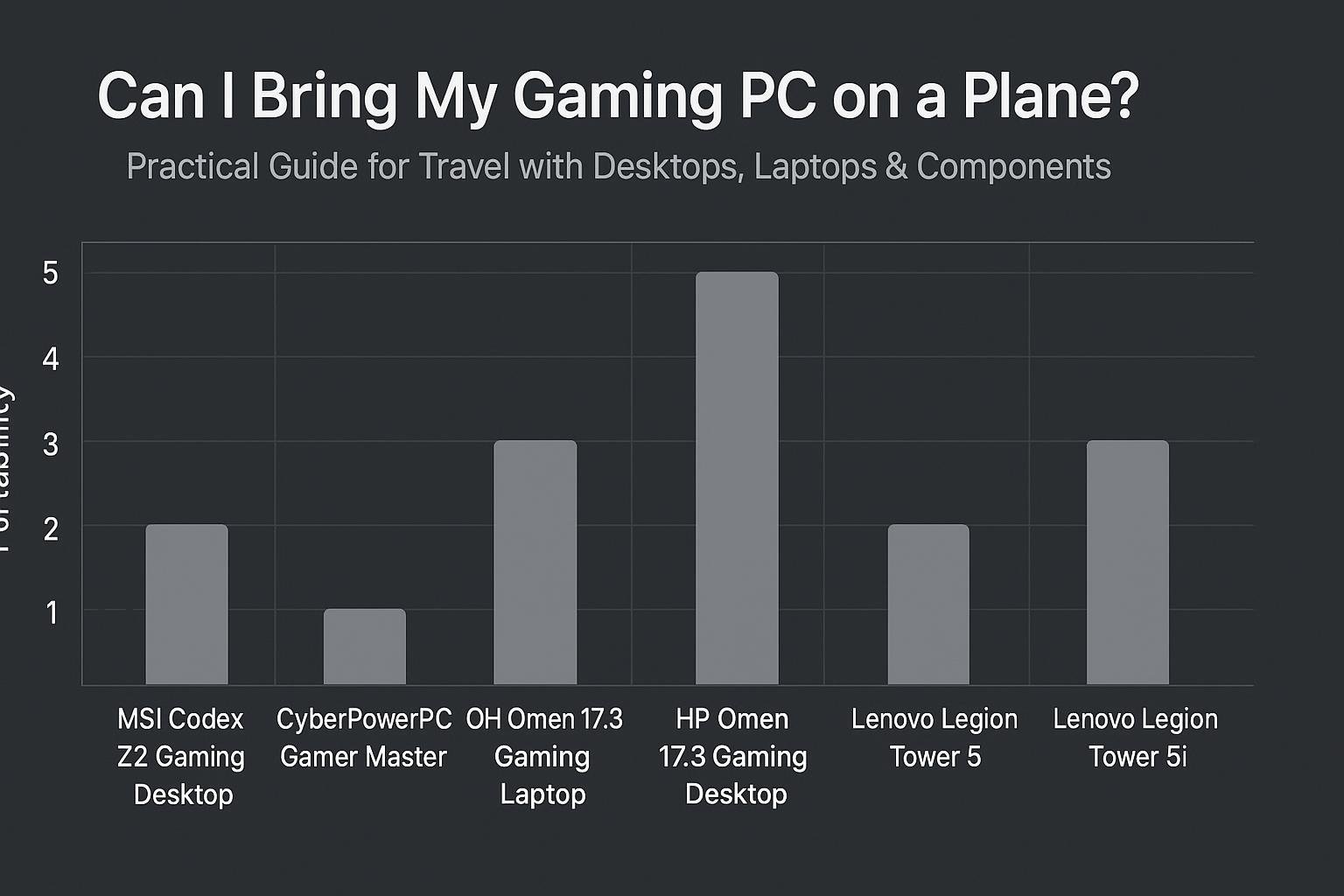
| HP OMEN 17.3 RTX 5070 AI Gaming Laptop | Laptop / portable gaming | 17.3″ FHD 144Hz, AMD Ryzen AI 9 365, 32GB DDR5, 1TB SSD | High — carry-on; batteries travel in cabin |
| msi Codex Z2 Gaming Desktop | Desktop gaming | AMD R7-8700F, RTX 5070, 32GB DDR5, 2TB NVMe | Moderate — best checked with heavy protection or ship |
| CyberPowerPC Gamer Master | Desktop gaming | AMD Ryzen 7 8700F, RTX 5060 Ti, 16GB DDR5, 1TB PCIe 4.0 SSD | Moderate — usually checked; remove drives/cards if possible |
Conclusion
You can bring a gaming PC on a plane, but prepare ahead. Gaming laptops are the simplest option—carry them on. For desktops, choose checked transport only after securing components or consider shipping or using a local build at your destination. Always follow TSA and airline rules for batteries and electronics, back up data, and pack with heavy padding.
Frequently Asked Questions
1. Can I put my gaming PC in checked luggage?
Yes, but it’s riskier than carry-on. Use a hard case, heavy padding, remove loose components if possible, and insure the unit. If the case is oversized or heavy, expect airline surcharges.
2. Are spare power banks allowed in checked bags?
No. Spare lithium-ion batteries and power banks generally must be carried in the cabin. Check watt-hour limits with your airline and the FAA guidance before travel.
3. Can I travel internationally with my GPU?
Yes, but check customs rules for your destination (value declarations or temporary import requirements). For long stays, consider temporary import forms or shipping to avoid customs complications.
4. Should I remove the GPU and pack it separately?
If you’re checking a full desktop, removing the GPU and packing it in anti-static wrap inside carry-on is the safest approach—if it fits and airline rules allow. This avoids PCB stress caused by rough handling.
5. What if TSA opens my PC case for inspection?
Ask for documentation of the inspection, take photos, and report any damage to the airline before leaving the airport so you can file a claim. Keep all receipts and serial numbers handy.
6. Is it better to ship my desktop than to check it?
Often yes. For valuable or custom builds, professional shipping or freight (with insurance) reduces the risk of damage from baggage handling. Compare cost vs. risk for your situation.
Traveling with a gaming PC takes planning but is entirely feasible. Pick the right device for your travel style, pack smart, and check the rules ahead of time to avoid surprises.
Visual Buying Guide