


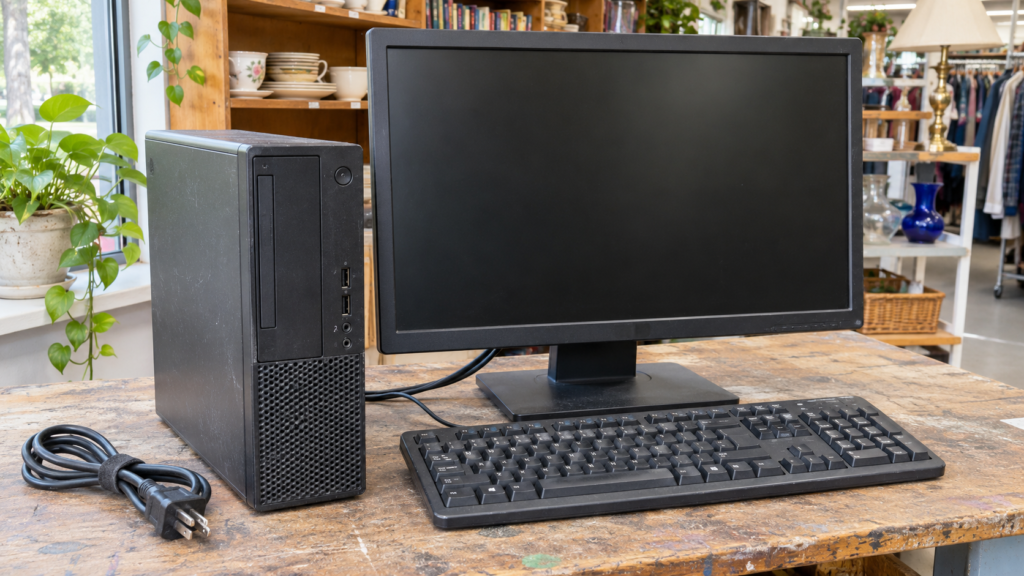
Yes, you can buy a usable desktop computer for under $50 if you find a complete, working ex-office PC locally and already have a monitor, keyboard and mouse. At this price, I’d take a machine I can watch boot over a faster-looking one listed as “untested”. A missing power adapter or SSD can eat up the difference before you get it home.
What can a $50 desktop actually do?
| What you need it for | What to check before buying |
|---|---|
| Documents, email and light browsing | Start with 8GB of RAM and a working SSD. Open your usual browser tabs and a document together if you can test it. |
| Schoolwork and video calls | Try the exact browser or meeting app you’ll use. Budget for a webcam and microphone if you don’t already have them. Check the school’s software requirements first. |
| Older games or a spare PC | Check each game’s requirements against the exact CPU and integrated graphics. For a spare PC, make sure the operating system still gets updates. |
| Modern gaming, regular video editing or demanding work apps | Put the $50 towards a PC that already meets your software requirements. An old office mini can leave you with few practical upgrade options. |
For everyday use, 8GB of RAM and a 128GB SSD are reasonable starting points. If you keep a lot of tabs open or store files locally, 16GB of RAM and a 256GB SSD give you more room. Compare the cost of those upgrades with the price of a complete machine before you buy.
What to search for on used marketplaces
Try “Dell OptiPlex Micro”, “Lenovo ThinkCentre Tiny” or “HP EliteDesk Mini” alongside “8GB SSD” and “local pickup”. These names cover many generations and configurations. Ask for the full model, exact processor and a photo of the rear ports before travelling.
For example, Dell sold the OptiPlex 3060 Micro with several processors, including the Core i3-8100T and Core i5-8500T. A listing that says only “OptiPlex i5” gives you too little information to judge performance or Windows compatibility. Use the 3060 Micro as a search reference. Local prices and what sellers include will vary. Dell OptiPlex 3060 Micro specifications.
Look at small-form-factor office desktops too. They take up more room, but depending on the model they can offer more storage or expansion options than a one-litre mini. Check the actual chassis and available slots if you plan to upgrade. With a mini, ask for a photo of the power adapter label and make sure the connector and wattage match the manufacturer’s requirements.
Work out the cost before making an offer
| Example listing | Cost before taxes and peripherals | Decision |
|---|---|---|
| $45 local pickup with SSD, RAM and adapter | $45 | Worth testing if you already own a compatible display and peripherals. |
| $35 mini PC, $15 shipping and a $20 replacement adapter | $70 | Over budget before you’ve checked whether it works. |
| $25 office PC with no drive, plus a $20 SSD and $10 display adapter | $55 | Compare it with a working local unit, and confirm the drive mount or cable is included. |
These are illustrative U.S. dollar amounts. Use the actual delivered price, then add any missing RAM, storage, adapter, cables, Wi-Fi, screen and input devices. If your monitor takes HDMI and the desktop only outputs DisplayPort, confirm the adapter works in that direction. If your setup needs Wi-Fi, ask whether the wireless card and antenna are included.
Check Windows compatibility before paying
A photo of the Windows 11 desktop tells you the seller got it running. Ask for a PC Health Check result for that specific hardware and check activation separately in Settings. Microsoft’s requirements include a compatible processor, TPM 2.0 and UEFI firmware with Secure Boot capability. Microsoft’s Windows 11 system requirements.
Regular support for Windows 10 has ended. Microsoft offers time-limited Extended Security Updates for eligible devices, so check current eligibility, enrolment and the programme end date if you’re considering Windows 10. If you use Microsoft 365 in the browser, check that the web apps cover the features you need. A supported Linux distribution can work for basic browsing and documents, but test your printer, Wi-Fi and any school or work software before relying on it. Microsoft’s Windows support and ESU information.
What to ask the seller and check at pickup
Send a short message before you travel. “What’s the exact model and CPU? How much RAM and storage does it have? Is the correct power adapter included? Can I see it start from fully off and check the BIOS and display before paying?”
- Start it from fully powered off. Check the exact CPU, RAM and drive in firmware or the operating system. If the listing says “boots to BIOS”, you still need to verify the storage and whether it can start an operating system.
- Confirm you can access the firmware settings and ask whether the machine has been removed from the previous organisation’s management. Where practical, ask the seller to demonstrate that a reset followed by internet-connected setup does not bring up a company or school sign-in.
- Test the display port, a USB port and the network connection you will use. Ask for a drive health report if available. Listen for grinding or surging fans and watch for shutdowns during a few minutes of use.
- Confirm what is included and whether there is a return window. Check terms before paying for an “as-is” listing or a shipped unit.
When to spend more
If the PC is for work or school and you need it this week, pay for a complete machine you can test or return. If you already have compatible spare parts and want a repair project, an incomplete desktop may make sense after you price the missing pieces. For a bigger budget, compare the options in our budget desktop PC buying guide.
Frequently asked questions
Is a desktop with 4GB of RAM worth buying?
Only if your intended workload runs acceptably or you can add compatible RAM within budget. For everyday browsing and documents, I’d look for 8GB and a working SSD first.
Can I buy a complete computer setup for under $50?
Possibly, if you find a local bundle or get the peripherals separately for free. Confirm that the monitor has its own power cable and an input compatible with the PC. If $50 is a hard limit, price the complete setup before paying for the tower.
Does “barebones” mean the desktop works out of the box?
Ask exactly what the seller includes. A barebones listing can omit the RAM, storage, power adapter or some combination of those parts. If the seller cannot demonstrate a working setup, price it as a project.