

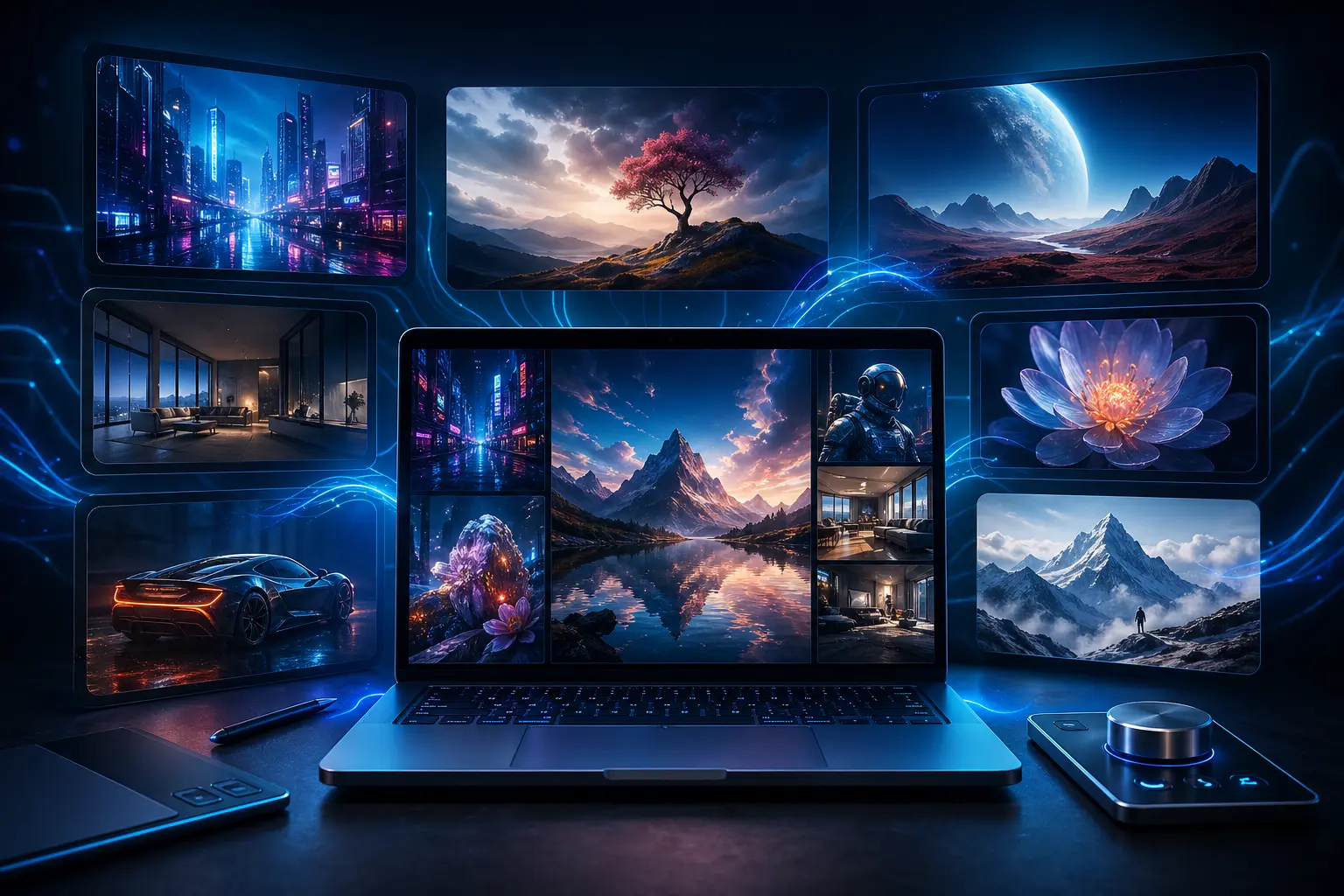
Finding the best AI image generator in 2026 has never been more important — or more complicated. In the past twelve months, every major platform has launched new model versions, slashed generation times, and pushed photorealism to levels that were unthinkable just two years ago. Whether you are a marketer, a designer, a content creator, or just someone who wants to bring a creative idea to life, there is now an AI image creation tool purpose-built for exactly what you need. This guide breaks down the top text-to-image AI tools of 2026, ranks them by category, and helps you choose the right one for your workflow.
Table of Contents
- What Is an AI Image Generator?
- How We Ranked the Best AI Image Generators in 2026
- Midjourney V8 — Best for Artistic Quality
- Flux 2 Pro — Best for Photorealism
- GPT Image 1.5 — Best for Prompt Adherence
- Google Imagen 4 — Best for Speed
- Ideogram 3.0 — Best for Text in Images
- Adobe Firefly 3 — Best for Commercial Use
- Side-by-Side Comparison
- Which Best AI Image Generator Should You Use?
- Tips for Better Results with AI Image Generators
- The Future of AI Image Generation
- Conclusion
What Is an AI Image Generator?
An AI image generator is a software tool that uses machine learning — specifically deep neural networks trained on vast datasets of images and text — to create original visuals from written descriptions called prompts. You type a sentence like “a futuristic cityscape at night with neon reflections on rain-soaked streets,” and the AI synthesizes an image that matches your description in seconds.
The underlying technology varies by platform. Most modern tools use diffusion models, which work by learning to reverse a process of progressively adding noise to images, effectively learning to reconstruct or generate new images from pure noise guided by text embeddings. Some newer models, like Black Forest Labs’ Flux 2, use a Flow Matching architecture that is faster and more efficient than traditional diffusion approaches.
In 2026, AI image generation has moved well beyond its experimental phase. These tools are now a core part of professional creative workflows, used by marketing agencies, game studios, film productions, e-commerce brands, and independent creators. The market is no longer asking “can AI make good images?” — it is asking “which AI image generator is right for my specific use case?”
How We Ranked the Best AI Image Generators in 2026
Ranking AI image tools requires looking at more than just raw output quality. The best AI image generator in 2026 for a graphic designer may be completely different from the best one for a social media manager or a game developer. We evaluated each platform across six key dimensions: output quality and realism, prompt adherence, generation speed, ease of use, pricing, and unique strengths that distinguish each tool from the competition.
We tested each platform across a range of prompt types — photorealistic portraits, architectural renders, abstract art, product photography, and text-heavy graphic designs — to give a fair and practical assessment of where each tool excels and where it falls short.
Midjourney V8 — Best AI Image Generator for Artistic Quality
Midjourney has dominated the AI art space since its earliest days, and its V8 release continues that tradition emphatically. Version 8 arrived with a completely rewritten rendering engine that is approximately five times faster than V7, and it produces native 2K resolution output without requiring upscaling. The characteristic Midjourney aesthetic — that intentional, painterly quality that makes every image feel considered and composed — is now sharper, more detailed, and more versatile than ever before.
What Makes Midjourney V8 Stand Out
Midjourney V8 introduced a robust character reference system, allowing users to upload a reference image of a character or person and maintain consistent visual identity across multiple generations. This is a game-changer for storytellers, comic artists, and brand designers who need visual continuity across a series of images. A brand campaign, a graphic novel, a product line — all now become far more manageable when your AI tool can keep a character or visual style consistent from frame to frame.
The platform has also dramatically improved its understanding of complex compositional prompts. Where earlier versions sometimes struggled with multi-element scenes, V8 handles busy environments — crowds, cityscapes, dense natural scenes — with far more coherence. Lighting in particular has become one of Midjourney’s greatest strengths: cinematic rim lighting, golden hour warmth, and dramatic shadow work are all rendered with a skill that rivals professional photography.
Midjourney Pricing and Access
Midjourney operates on a subscription model through its web interface at midjourney.com. Plans start at $10 per month for the Basic tier with 200 image generations, rising to $30 per month for Standard (unlimited relaxed generations), and $60 per month for Pro, which adds stealth mode and priority GPU access. There is no free tier in 2026, though occasional limited trials are offered. For creative professionals who prioritize aesthetic impact above all else, Midjourney V8 remains the best AI image generator for striking, gallery-worthy output.
Flux 2 Pro — Best AI Image Generator for Photorealism
Black Forest Labs released Flux 2 Pro in early 2026, and it immediately redefined what photorealistic AI image generation looks like. Built on a Flow Matching architecture rather than traditional diffusion, Flux 2 Pro generates images with optical characteristics that closely mimic real camera lenses: accurate depth of field, realistic chromatic aberration, film grain, and lens flare that behave exactly as they would in actual photography.
Why Flux 2 Pro Leads in Realism
The key differentiator for Flux 2 Pro is its exceptional prompt adherence for photography-style descriptions. If you specify “shot on a 50mm lens, f/1.8 aperture, ISO 400, in the style of street documentary photography,” Flux 2 Pro interprets and applies those technical parameters in a way that no other generative AI tool currently matches. Product photographers, e-commerce studios, and visual content agencies have widely adopted it for generating lifestyle imagery that previously required expensive photo shoots.
Black Forest Labs also released FLUX.2 Klein alongside the Pro model — a lightning-fast variant that generates images in under one second. Klein sacrifices some of the optical fidelity of Pro, but it is ideal for rapid iteration, concept exploration, and high-volume content pipelines where speed matters more than perfection.
Flux Pricing and Availability
Flux models are available through the Black Forest Labs API and via third-party platforms including Replicate, fal.ai, and Freepik. API pricing for Flux 1.1 Pro Ultra starts at approximately $0.06 per image. Flux is also accessible via several consumer-facing tools that have integrated its models, making it increasingly easy to use without any API knowledge. For teams building AI photo generation into commercial workflows, Flux 2 Pro is an essential tool.
GPT Image 1.5 — Best AI Image Generator for Prompt Adherence
OpenAI’s transition from DALL-E 3 to GPT Image 1.5 represents the most significant improvement in prompt understanding of any AI image creation platform released in 2026. GPT Image 1.5 is deeply integrated with the GPT-5.4 language model, which means the system interprets your prompts with a level of semantic nuance that earlier image synthesis models simply could not match.
Prompt Understanding That Actually Works
Where older AI image generators frequently misinterpreted ambiguous prompts or dropped details from complex descriptions, GPT Image 1.5 processes the full meaning of a prompt — including relational concepts, negations, spatial arrangements, and stylistic nuance — and reflects them accurately in the output. In independent benchmarks on LM Arena, GPT Image 1.5 ranked first overall for prompt adherence, outperforming both Midjourney V8 and Flux 2 Pro on this specific metric.
The model is also exceptional at following iterative editing instructions. You can start with a generated image and then ask it to “change the lighting to golden hour” or “replace the background with a forest” and receive coherent, well-integrated results that maintain the rest of the image’s consistency. This makes GPT Image 1.5 the go-to choice for creators who work through multiple refinement rounds rather than generating fresh images from scratch each time.
GPT Image 1.5 Pricing
GPT Image 1.5 is accessible through OpenAI’s platform via ChatGPT Plus at $20 per month, which includes a generous daily allocation of high-quality image generations. It is also available through the OpenAI API for developers at tiered per-image pricing based on resolution and quality settings. For most casual and professional users, the ChatGPT Plus subscription is the most cost-effective access point.
Google Imagen 4 — Best AI Image Generator for Speed
Google’s Imagen 4, integrated into Gemini and available via the Google AI API, has emerged as the fastest high-quality AI image generator in 2026. Standard generation times run between 3 and 5 seconds — compared to 15 to 30 seconds for Midjourney or Flux — making it the platform of choice for workflows that require rapid iteration or high-volume image production.
Quality That Matches Its Speed
Speed alone would not be worth highlighting if image quality suffered, but Imagen 4 delivers genuinely impressive photorealistic outputs at a pace that enables real-time creative exploration. Its text rendering is significantly better than Midjourney V8, making it a practical option for generating images that incorporate readable text — titles, labels, signage, and typographic elements. Google has also built strong safety filtering into Imagen 4, making it a reliable choice for enterprise deployments where content moderation is a priority.
For content teams operating at scale — social media agencies producing hundreds of assets per week, news publishers needing fast illustration, or e-commerce operators with large product catalogs — Imagen 4’s combination of speed and quality makes it arguably the best AI image generator from a pure throughput perspective. It excels at anything requiring consistent, rapid output without sacrificing quality below a professional threshold.
How to Access Google Imagen 4
Imagen 4 is accessible through the Gemini app for Gemini Advanced subscribers at $19.99 per month as part of the Google One AI Premium plan. Developers can access it through Google AI Studio and Vertex AI. The Gemini Flash variants, which use a lighter version of the model, are available free with rate limits via Google AI Studio — making this the most accessible no-cost entry point of any major AI image platform in 2026.
Ideogram 3.0 — Best AI Image Generator for Text in Images
One of the longest-standing weaknesses of AI image generation has been its inability to render legible text. Misspelled words, garbled typography, and incoherent letterforms have plagued the technology since its inception. Ideogram 3.0, which launched in March 2025 and remains the leading text-in-image solution heading into mid-2026, has come closer to solving this problem than any competing platform.
Solving the AI Text Rendering Problem
Ideogram 3.0 achieves approximately 90 to 95 percent text accuracy in generated images. For context, Midjourney V8 sits around 30 to 40 percent text accuracy, and even the best competing AI image generators struggle with multi-line text or complex typographic layouts. For designers who need to generate logos, poster mockups, advertisement concepts, social media graphics, or any image where readable typography is essential, Ideogram 3.0 is the best AI image generator in its niche by a wide margin.
Ideogram 3.0 also introduced Style References, allowing users to upload up to three reference images to define a visual aesthetic, and advanced color palette controls that let designers specify exact hex codes or extract palettes from reference photographs. Its Canvas tool includes Magic Fill and Extend features for AI-native image editing. These additions have made Ideogram a genuine professional platform for graphic design workflows, not merely a text-rendering curiosity.
Ideogram 3.0 Pricing
Ideogram offers a free tier with limited daily generations. Paid plans start at $8 per month for the Basic tier and $20 per month for Plus, which includes priority generation and higher monthly limits. Per-image API pricing starts at $0.08. You can explore Ideogram at ideogram.ai. For anyone producing text-forward visual content, this is an essential addition to your AI image creation toolkit.
Adobe Firefly 3 — Best AI Image Generator for Commercial Use
For professionals working in commercial environments where copyright and licensing are critical concerns, Adobe Firefly 3 stands apart from every other AI image generator in 2026. Firefly was built from the ground up using only licensed and public domain imagery — no scraping of artists’ work without consent — which means every image generated through Firefly is commercially safe and free from intellectual property risk.
Creative Cloud Integration and Commercial Safety
Firefly 3 integrates directly into Adobe Photoshop, Illustrator, and Express, embedding AI image creation into workflows that creative professionals already use every day. The Generative Fill tool in Photoshop, powered by Firefly 3, has become one of the most widely used AI features in the creative industry: select any area of an image, describe what you want there, and Firefly fills it seamlessly within seconds.
Beyond its safety credentials and integration, Firefly 3 has made substantial quality improvements over previous versions. Its Structure Reference and Style Reference tools give designers granular control over composition and aesthetic. You can drop in a rough sketch and have Firefly render it in any visual style while maintaining the exact structural layout of your original. For agencies producing branded visual content at scale, this level of structural control is invaluable and not available in most competing AI image tools.
Adobe Firefly is included with Adobe Creative Cloud subscriptions. Standalone Firefly access starts at $9.99 per month, which includes 2,000 generative credits. Enterprise pricing is available for teams needing higher volumes or additional IP indemnification guarantees.
Best AI Image Generator 2026: Side-by-Side Comparison
To help you make a quick decision, here is how the leading AI image generation tools compare across the dimensions that matter most for real creative workflows:
| Tool | Best For | Speed | Photorealism | Text Rendering | Starting Price |
|---|---|---|---|---|---|
| Midjourney V8 | Artistic quality | Fast | Good | Poor (30–40%) | $10/mo |
| Flux 2 Pro | Photorealism | Very fast (Klein under 1s) | Excellent | Fair | ~$0.06/image |
| GPT Image 1.5 | Prompt adherence | Moderate | Very good | Good | $20/mo (ChatGPT+) |
| Google Imagen 4 | Speed and scale | Excellent (3–5s) | Very good | Good | $19.99/mo |
| Ideogram 3.0 | Text in images | Good | Good | Excellent (90–95%) | Free / $8/mo |
| Adobe Firefly 3 | Commercial use | Good | Good | Good | $9.99/mo |
Which Best AI Image Generator Should You Choose?
The best AI image generator in 2026 depends almost entirely on your specific creative goals. Here is a practical breakdown by use case to help you make the right choice.
Choose Midjourney V8 If You Prioritize Beauty
Midjourney produces the most visually striking, gallery-worthy images of any platform available. If your work ends up in marketing campaigns, art books, high-end presentations, or anywhere that sheer aesthetic impact is the primary goal, Midjourney V8 is the tool to reach for. Its character reference system also makes it far more practical for projects requiring visual consistency across a series of images — something no other AI art generator handles as elegantly.
Choose Flux 2 Pro If You Need Images That Look Like Photographs
E-commerce product imagery, lifestyle photography, architectural visualization, and documentary-style visuals are all areas where Flux 2 Pro outperforms every competitor. Its camera-accurate optical simulation gives AI-generated images a credibility that was previously only achievable with real cameras and professional photographers. For studios or brands running high-volume visual content production, Flux 2 Pro is the most realistic AI image generator available.
Choose GPT Image 1.5 If You Work Iteratively
If you regularly refine and revise images based on written feedback, or if you need to generate complex scenes with multiple specific elements in precise spatial relationships, GPT Image 1.5’s language model backbone gives it a comprehension advantage that feels like working with a highly skilled human illustrator who actually understands your brief — rather than an AI guessing what you mean.
Choose Google Imagen 4 If Volume Is Your Priority
Content teams managing high-frequency social media publishing schedules, news sites needing fast illustrative assets, or anyone building an AI image generation pipeline at scale will find Imagen 4’s 3 to 5 second generation times transformative for productivity. At that speed, you can explore 20 compositional variations in the time it takes Midjourney to generate a single image.
Choose Ideogram 3.0 for Any Design With Text
No other AI image generator comes close to Ideogram’s text accuracy. If you regularly create posters, infographics, logos, social media headers, thumbnail graphics, or any visual asset where readable typography matters, Ideogram 3.0 is non-negotiable. Its style and color reference tools make it a complete package for graphic design workflows, not just a one-trick text tool.
Choose Adobe Firefly 3 for Commercial and Enterprise Work
Firefly is the only major AI image generator built entirely on licensed content, and its deep Creative Cloud integration makes it the natural choice for teams already in the Adobe ecosystem. If your agency, brand, or employer needs IP indemnification and a tool that will never expose you to copyright liability, Firefly 3 is the only safe choice in 2026.
Tips for Getting Better Results from AI Image Generators in 2026
Regardless of which best AI image generator you choose, the quality of your output depends heavily on how you construct your prompts and use the platform’s features. Here are the most effective techniques that professional AI image creators use in 2026.
Be Specific About Style, Medium, and Lighting
Generic prompts produce generic images. Instead of “a portrait of a woman,” try “a cinematic close-up portrait of a woman in her 40s, shot on 85mm, shallow depth of field, natural window light from camera left, in the style of Annie Leibovitz.” Specifying the photographic or artistic style, the lighting conditions, and the camera or medium dramatically narrows the range of possible outputs toward exactly what you want.
Use Negative Prompts to Block Unwanted Elements
Most AI image generation platforms support negative prompts — instructions telling the model what to avoid. Common negative prompts include “blurry, low quality, distorted hands, watermark, text, extra limbs, overexposed.” Using negative prompts is one of the highest-leverage techniques for improving the consistency and quality of your outputs, especially when you find the model repeatedly generating unwanted elements that you cannot seem to talk it out of through positive prompting alone.
Iterate Quickly with Draft Mode First
Rather than spending credits on full-resolution outputs for every idea, use fast or draft modes to generate multiple concept variations quickly. Once you identify the composition, color palette, and style direction you want, then run the final output at high resolution. Platforms like Flux Klein and Imagen Flash make this approach especially practical with their sub-second generation speeds.
Use Reference Images to Anchor Your Creative Direction
The best AI image generators in 2026 all support some form of image reference input. Use this feature to pin down aesthetic styles, color palettes, compositions, or character appearances that are difficult to describe in words alone. A well-chosen reference image can reduce the number of iterations needed to reach your target output by an order of magnitude, saving both time and generation credits.
The Future of AI Image Generation
The trajectory of AI image generation in 2026 points toward several significant developments that will shape the technology over the next two to three years.
First, the line between still image generation and video generation is blurring rapidly. Tools like Sora, Runway Gen-4, and Google Veo 3 are increasingly capable of generating short video clips from the same text prompts that currently produce still images. Within the next 12 to 18 months, most major AI image platforms are expected to offer video output as a standard feature, fundamentally changing what an “AI image generator” means.
Second, integration into everyday creative software is accelerating. Canva, Figma, and the entire Adobe suite now treat AI image synthesis as a native capability rather than a bolt-on add-on. This democratization means that professionals who never adopted standalone AI tools are now using generative AI image features daily without consciously thinking of them as AI tools at all.
Third, model personalization is becoming mainstream. Fine-tuning capabilities that previously required machine learning expertise and expensive compute are now available through simple web interfaces. Users can train a model on their own visual style, product photographs, or character designs and get consistent, on-brand results at scale — a capability that was exclusive to large AI labs just two years ago.
Finally, regulation is beginning to catch up with the technology. The EU AI Act’s provisions on synthetic media disclosures came into force in mid-2025, and similar frameworks are developing in the US and UK. AI image generation platforms are increasingly building watermarking, content credentials, and provenance metadata into their outputs — changes that will have significant long-term implications for how generated imagery is identified, attributed, and trusted online.
Conclusion: The Best AI Image Generator in 2026 Is the Right One for You
The best AI image generator in 2026 is not a single tool — it is the right tool for your specific creative need. Midjourney V8 remains the king of artistic quality and aesthetic impact. Flux 2 Pro leads in photorealism and camera-accurate image synthesis. GPT Image 1.5 offers unmatched prompt comprehension for complex, iterative creative workflows. Google Imagen 4 is the fastest option for high-volume AI image production. Ideogram 3.0 is the only serious choice when readable text in images matters. And Adobe Firefly 3 is the gold standard for commercially safe AI image creation within the Adobe ecosystem.
The good news is that most of these platforms offer free tiers or low-cost entry points, making it practical to test several before committing. The AI image generation landscape in 2026 is richer, more competitive, and more capable than at any point in the technology’s short history. Whichever platform you choose, you now have access to generative AI tools that would have seemed like science fiction just a few years ago — and every indication suggests they are only going to get better from here.