What Are Gaming PCs Used For? Practical Uses, Buying Guide, and Top Picks
Gaming PCs are often thought of as machines only for playing the latest AAA titles, but they’re used for much more. This guide explains the common and less obvious uses of gaming PCs, how to choose one for your needs, product recommendations, and answers to frequent questions. If you’re deciding whether a gaming PC fits your needs, read on for practical, direct advice.
Primary Uses of Gaming PCs
Gaming PCs excel at tasks that demand high CPU and GPU performance, fast storage, and responsive input. The primary uses include:
1. Playing Modern Games
Modern PC games rely on powerful CPUs and discrete GPUs to deliver high resolutions and frame rates. A gaming PC lets you:
- Run AAA titles at 60+ FPS or higher, depending on hardware and settings.
- Use high refresh rate monitors (120Hz, 144Hz, 240Hz) for smoother gameplay.
- Play at higher resolutions such as 1440p or 4K when paired with capable GPUs.
2. Virtual Reality (VR) and AR
VR headsets require strong GPU performance and low latency. Gaming PCs with modern GPUs are typically VR-ready and provide the headroom required for immersive experiences.
3. Competitive and Esports Gaming
Competitive play benefits from low input lag and high frame rates. Gaming PCs can be optimized to reduce background processes and prioritize in-game performance.
Secondary and Professional Uses
Beyond gaming, gaming PCs are powerful general-purpose machines that many creators and professionals rely on.
1. Content Creation: Video Editing, 3D, and Streaming
Video editing and 3D rendering use both CPU and GPU compute. A gaming PC with more cores, faster RAM, and an NVMe SSD can dramatically reduce export and render times. For streamers, a capable GPU and sufficient RAM allow simultaneous gameplay and live encoding.
2. Photo Editing and Graphic Design
High-resolution photo editing benefits from large amounts of RAM, a good CPU, and fast storage. Gaming PCs often include these components, making them viable for Photoshop, Lightroom, and other creative software.
3. Software Development and Virtual Machines
Developers who compile large codebases or run virtual machines benefit from multi-core CPUs and ample RAM. Gaming PCs with modern processors can speed up builds and allow multiple VMs for testing.
4. Home Office, Multitasking, and Productivity
Gaming PCs are overqualified for standard office tasks: they handle dozens of browser tabs, video conferencing, spreadsheets, and more without lag. They’re also future-proof for increasing software demands.
How to Choose the Right Gaming PC
Choosing the right system depends on how you plan to use it. Here are practical considerations and how to match them to hardware.
Performance Tiers (Match your budget to your use)
- Entry level (casual gaming, 1080p): Mid-range CPU, GPU like RTX 3050 or equivalent, 16GB RAM, 512GB NVMe SSD.
- Mid-range (competitive 1080p/1440p): Stronger GPU (RTX 5060 Ti, RTX 3060/4060-level), 16–32GB RAM, 1TB NVMe SSD.
- High-end (4K, VR, content creation): Top-tier GPU (RTX 5070 and above or equivalent), 32GB+ RAM, large NVMe storage, quality cooling and PSU.
CPU, GPU, RAM, and Storage
Decide the priority: gaming favors GPU and fast single-core CPU performance; content creation favors multi-core CPUs and more RAM. NVMe SSDs improve load times and application responsiveness.
Form Factor, Cooling, and Expandability
- Smaller cases save space but limit upgrade options and airflow.
- Good cooling keeps sustained performance higher. Air or AIO liquid cooling both work when sized properly.
- Check upgrade paths: extra DIMM slots, M.2 slots, SATA ports, and available PCIe slots matter for future expansions.
Ports and Peripherals
Ensure the PC includes the connections you need: USB-C, HDMI/DisplayPort for monitors, Ethernet for stable networking, and audio outputs. If you plan to VR, make sure headset ports and GPU outputs are compatible.
Product Recommendations
Affiliate disclosure: As an affiliate I may earn a commission if you buy through the links below. Links are provided to help you compare options; costs and availability can change.
Below are recommended prebuilt systems across common needs. Each link uses the exact product URL provided.
- High-end, balanced for gaming and content creation: Alienware Aurora Gaming Desktop ACT1250 – Intel Core Ultra 7 265F, 32GB DDR5, 1TB SSD, NVIDIA GeForce RTX 5070
- Mid-range with strong gaming focus: Alienware Aurora Gaming Desktop ACT1250 – Intel Core Ultra 7 265F, Air Cooled, NVIDIA GeForce RTX 5060Ti, 16GB DDR5, 1TB SSD
- AMD alternative for gaming and general use: msi Codex Z2 Gaming Desktop: AMD R7-8700F, GeForce RTX 5070, 32GB DDR5, 2TB M.2 NVMe SSD
- Value-minded prebuilt: CyberPowerPC Gamer Master Gaming PC, AMD Ryzen 7 8700F, GeForce RTX 5060 Ti, 16GB DDR5, 1TB PCIe 4.0 SSD
Comparison Table
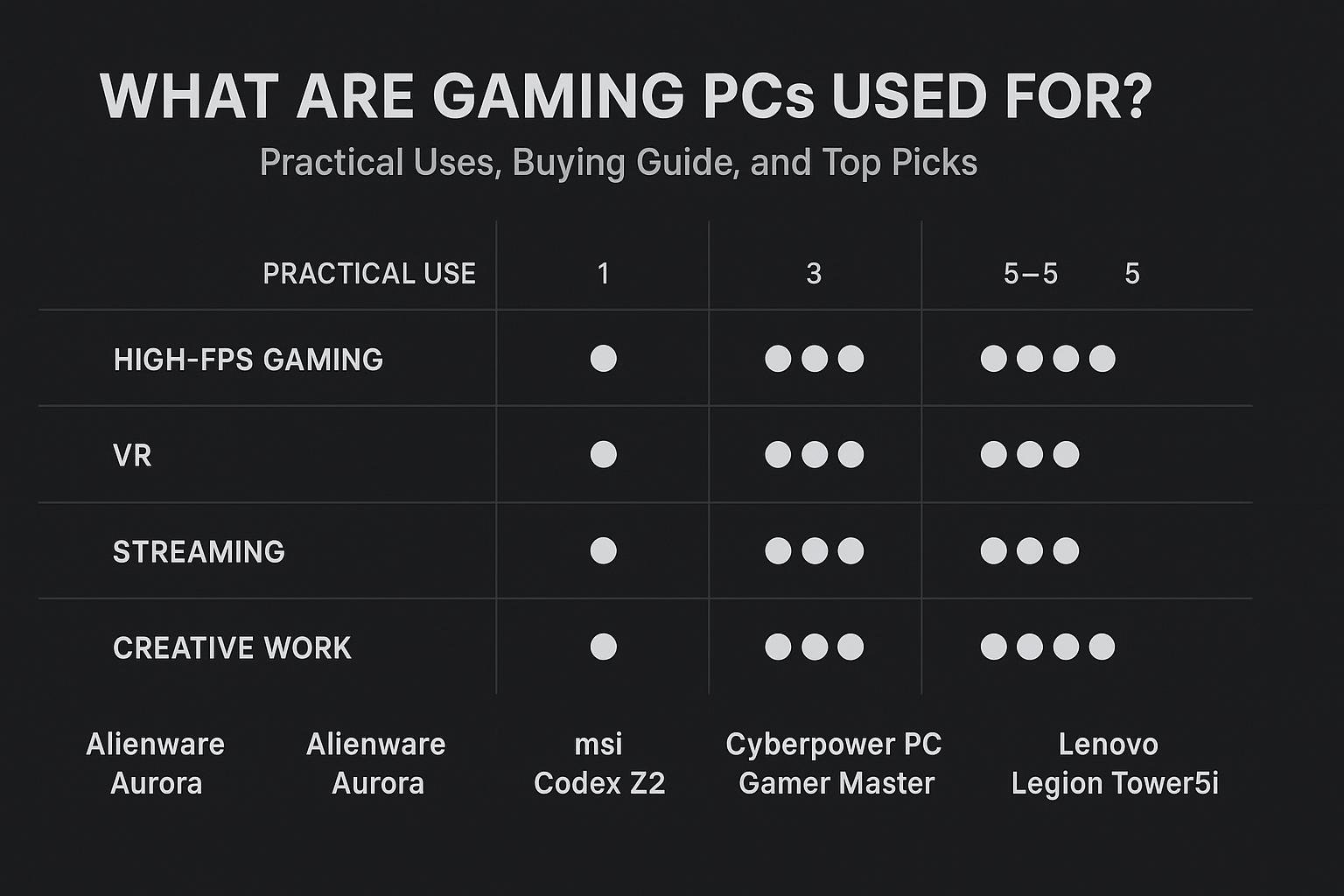
The table below lists key specs provided by each vendor entry. Use it to quickly compare CPUs, GPUs, memory, and storage.
| Product | CPU | GPU | RAM | Storage | Link |
|---|---|---|---|---|---|
| Alienware Aurora ACT1250 (RTX 5070) | Intel Core Ultra 7 265F | NVIDIA GeForce RTX 5070 | 32GB DDR5 | 1TB SSD | Buy |
| Alienware Aurora ACT1250 (RTX 5060Ti) | Intel Core Ultra 7 265F (Air Cooled) | NVIDIA GeForce RTX 5060Ti | 16GB DDR5 | 1TB SSD | Buy |
| msi Codex Z2 | AMD R7-8700F | GeForce RTX 5070 | 32GB DDR5 | 2TB M.2 NVMe SSD | Buy |
| CyberPowerPC Gamer Master | AMD Ryzen 7 8700F 4.1GHz | GeForce RTX 5060 Ti 8GB | 16GB DDR5 | 1TB PCIe 4.0 SSD | Buy |
Frequently Asked Questions (FAQs)
1. Can a gaming PC be used for work and school?
Yes. Gaming PCs are more than capable for office productivity, video calls, coding, and multitasking. Their hardware exceeds the needs of typical office software, giving you headroom for heavier tasks.
2. Do I need a gaming PC to stream or create content?
Not strictly — many laptops and desktops can stream — but a gaming PC with a strong CPU and GPU makes simultaneous gaming and streaming simpler and more reliable, especially at higher bitrates and resolutions.
3. Are gaming PCs good for VR?
Yes. If the GPU and CPU meet the VR headset’s recommended specifications, a gaming PC will provide the necessary performance and low latency for a good VR experience.
4. Should I buy a prebuilt gaming PC or build my own?
Prebuilt systems save time and often include warranties and support; they’re convenient if you want a reliable machine quickly. Building your own can be cheaper or more customizable, but it requires knowledge and time. Choose prebuilt if you prefer convenience and tested configurations.
5. How much RAM do I need?
For gaming, 16GB DDR5 is the practical minimum today. For streaming or content creation, aim for 32GB or more depending on your workflows.
6. How future-proof are gaming PCs?
Gaming PCs with modern CPUs, GPUs, and fast NVMe storage remain useful for several years. The degree of future-proofing depends on component quality, upgradability, and how demanding future software becomes. Prioritize a good GPU and sufficient power supply for easier upgrades.
Conclusion
Gaming PCs are versatile machines built for high performance but useful far beyond gaming. They excel at immersive gaming, VR, streaming, and content creation, and they make excellent workhorses for productivity and development tasks. When choosing a system, match your use-case to the performance tier, prioritize GPU for gaming and multi-core CPUs for creation, and choose a prebuilt or custom system based on how hands-on you want to be.
If you want recommendations, consider the Alienware Aurora ACT1250 (RTX 5070) or the msi Codex Z2 for balanced high-end performance, or the Alienware ACT1250 (RTX 5060Ti) and CyberPowerPC Gamer Master for strong mid-range gaming value. Use the comparison table above to pick the best fit for your needs.
Visual Buying Guide