AMD PC Buying Guide: Best AMD PCs for Gaming, Content Creation & Work
This guide helps you pick the right AMD PC for your needs—whether it’s gaming, streaming, video editing, or general productivity. You’ll find practical advice, product recommendations, a comparison table, and tips on what to look for when buying a prebuilt AMD system.
Table of Contents
- Why pick an AMD PC?
- Who should buy an AMD PC?
- Key specs to check before buying
- Recommended AMD PCs (with links)
- Quick comparison table
- Practical buying tips
- Conclusion
- FAQs
Why pick an AMD PC?
AMD-based PCs offer strong multi-threaded CPU performance, competitive price-to-performance, and a wide range of options from budget builds to high-end desktops. Ryzen CPUs are especially good for multitasking, streaming, and content creation while remaining excellent for gaming when paired with the right GPU.
Practical advantages
- Excellent multi-core performance for creators and streamers.
- Value-focused models that deliver more cores per dollar.
- Wide availability in prebuilt systems—desktop and laptop options.
Who should buy an AMD PC?
AMD PCs are a strong choice if you:
- Do multi-threaded work like video editing, 3D rendering, or software builds.
- Stream and game simultaneously and need more CPU cores.
- Want a balance between cost and performance in a prebuilt system.
Key specs to check before buying an AMD PC
When comparing AMD systems, focus on these components first. They determine real-world performance for most users.
CPU
Look at model and generation. Higher numbered Ryzen parts and X3D variants favor heavy multi-threaded and cache-sensitive workloads. Match CPU to workload—Ryzen 5 for general gaming, Ryzen 7 for streaming and heavy multitasking, Ryzen 9 or 7 9800X3D for high-end content creation and top-tier gaming.
GPU
GPU choice dictates gaming performance. Pairing a capable AMD CPU with a mid-to-high-end NVIDIA or AMD GPU keeps bottlenecks low. For 1080p high-refresh gaming, mid-range GPUs are fine; for 1440p/4K or ray tracing, choose higher-tier GPUs.
Memory and storage
- 16GB RAM is the practical minimum for modern gaming; 32GB is recommended for creators and heavy multitaskers.
- NVMe SSDs dramatically improve load times; prefer PCIe 4.0 where available.
Power supply and cooling
Quality PSU and adequate cooling are critical for stability and longevity. Look for branded PSUs and proper airflow in prebuilt systems.
Recommended AMD PCs (affiliate links)
Affiliate disclosure: As an affiliate, we earn from qualifying purchases when you buy through the links below. This helps fund testing and independent content. Links use affiliate tracking.
Below are practical, prebuilt AMD systems that cover budget to high-end needs. Each entry links to the exact product page.
Best value AMD gaming desktop
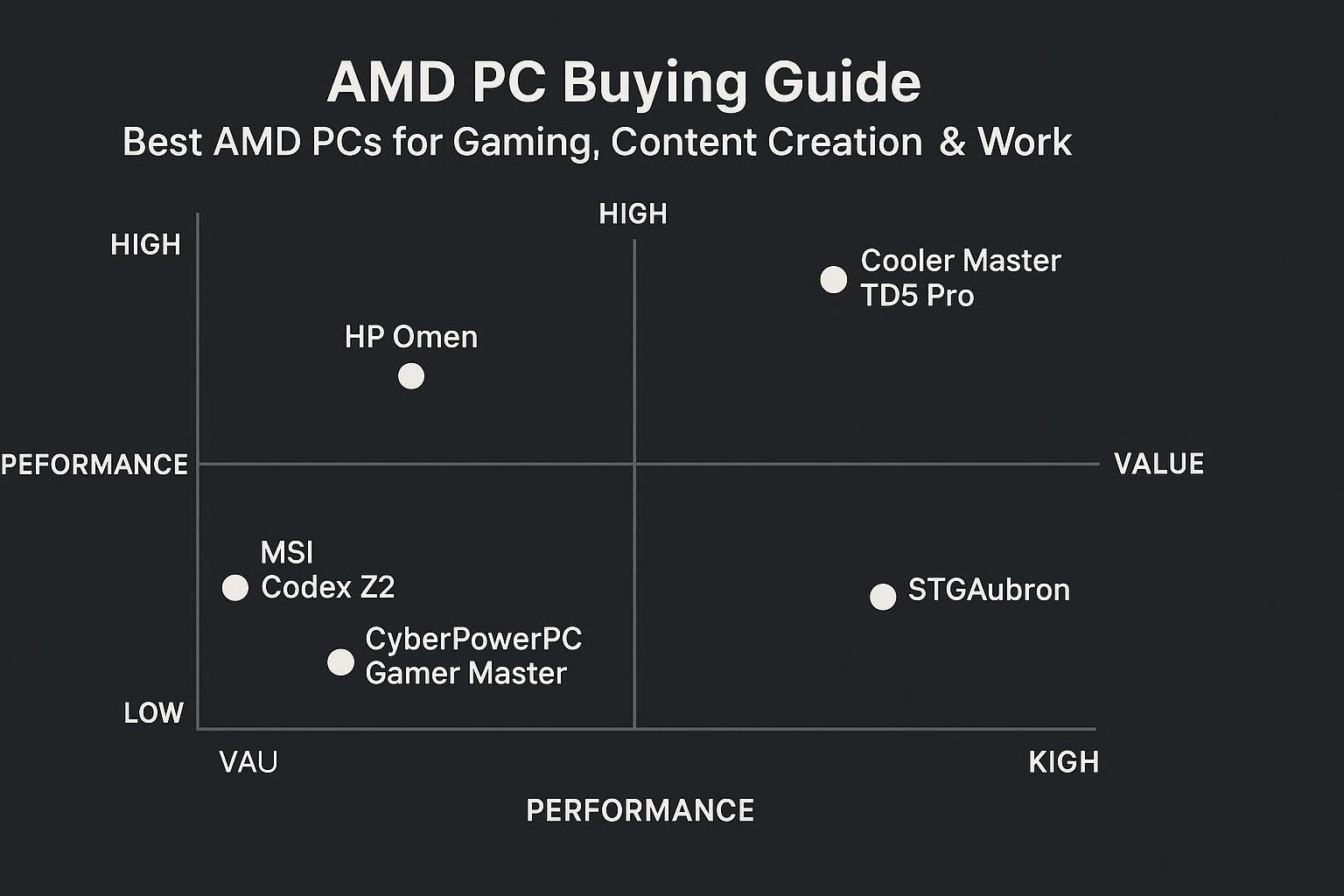
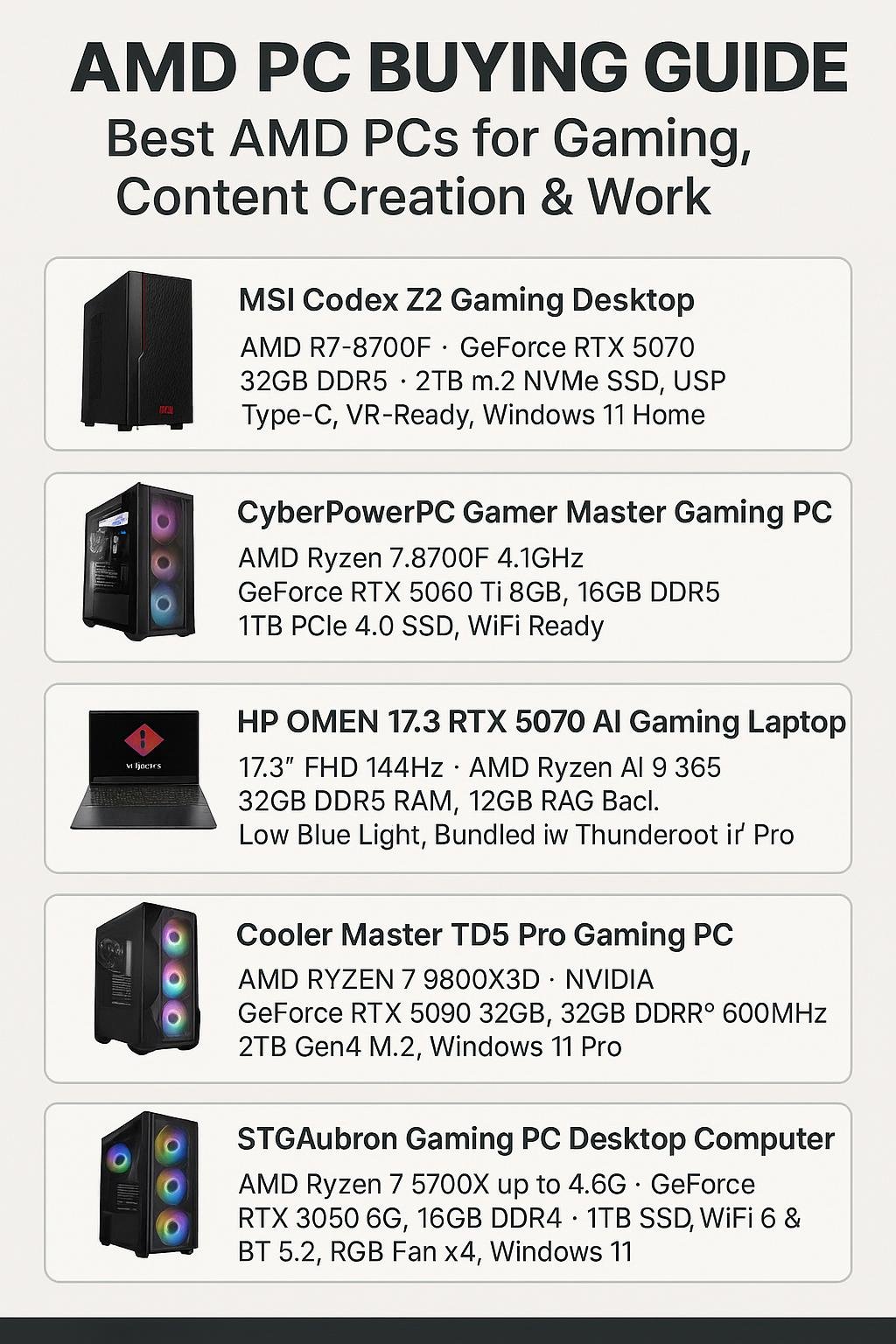
STGAubron Gaming PC Desktop Computer, AMD Ryzen 7 5700X up to 4.6G, GeForce RTX 3050 6G, 16GB DDR4, 1TB SSD, WiFi 6 & BT 5.2, RGB Fan x4, Windows 11 Home. Good entry-level-to-mid-range build for 1080p gaming and light content work: Buy on Amazon
Best budget workstation / office AMD PC
YAWYORE Gaming PC Desktop Computer AMD Ryzen 5 5600GT, 16GB DDR4 3200MHz, 1TB M.2 NVMe PCIe, 550W 80PLUS PSU, WiFi. A balanced, affordable desktop for general productivity and casual gaming: Buy on Amazon
Best mainstream prebuilt gaming PC
CyberPowerPC Gamer Master Gaming PC, AMD Ryzen 7 8700F 4.1GHz, GeForce RTX 5060 Ti 8GB, 16GB DDR5, 1TB PCIe 4.0 SSD, WiFi Ready & Windows 11 Home. Great for high-refresh 1080p and 1440p gaming: Buy on Amazon
High-end desktop for creators and gamers
Cooler Master TD5 Pro Gaming PC – AMD RYZEN 7 9800X3D, NVIDIA GeForce RTX 5090 32GB, 32GB DDR5 6000MHz, 2TB Gen4 M.2, Windows 11, V Platinum 1100 V2 PSU. Targeted at top-tier gaming and demanding creative workloads: Buy on Amazon
AMD laptop option (mobile power)
HP OMEN 17.3 RTX 5070 AI Gaming Laptop, 17.3″ FHD 144Hz, AMD Ryzen AI 9 365, 32GB DDR5 RAM, 1TB SSD, Windows 11 Pro. If mobility matters, this large-screen laptop balances CPU power and GPU performance: Buy on Amazon
Quick comparison table
| Model | CPU | GPU | RAM | Storage | Link |
|---|---|---|---|---|---|
| STGAubron Ryzen 7 5700X | AMD Ryzen 7 5700X | GeForce RTX 3050 6GB | 16GB DDR4 | 1TB SSD | Buy |
| YAWYORE Ryzen 5 5600GT | AMD Ryzen 5 5600GT | Integrated / Entry GPU (as listed) | 16GB DDR4 3200MHz | 1TB M.2 NVMe | Buy |
| CyberPowerPC Gamer Master | AMD Ryzen 7 8700F | GeForce RTX 5060 Ti 8GB | 16GB DDR5 | 1TB PCIe 4.0 SSD | Buy |
| Cooler Master TD5 Pro | AMD RYZEN 7 9800X3D | NVIDIA GeForce RTX 5090 32GB | 32GB DDR5 6000MHz | 2TB Gen4 M.2 | Buy |
| HP OMEN 17.3 Laptop | AMD Ryzen AI 9 365 | RTX 5070 | 32GB DDR5 | 1TB SSD | Buy |
Practical buying tips and checklist
Match your budget to real needs
- If you only game at 1080p, prioritize GPU and a solid Ryzen 5 or Ryzen 7—16GB RAM is fine.
- If you stream, encode, or edit video, prioritize more CPU cores and 32GB RAM.
- For future-proofing, choose PCIe 4.0 storage and a decent PSU (80PLUS Bronze or better).
Look for upgrade paths
Prebuilts that allow RAM, storage, and GPU upgrades extend usable life. Check available M.2 slots and free DIMM slots.
Check cooling and warranties
Good airflow and a clear warranty policy matter. If you plan to push the system, ensure it has adequate cooling or room to add better cooling later.
Conclusion
AMD PCs offer a compelling mix of multithreaded performance and value across budgets. For most users, a Ryzen 7-based prebuilt with a modern mid-to-high GPU gives a solid balance between gaming and content creation. If mobility is required, an AMD-powered laptop like the HP OMEN 17.3 brings those benefits on the go. Use the comparison table and buying checklist above to match a system to your workload and budget.
Frequently Asked Questions
1. Is an AMD PC better than Intel for gaming?
For many gaming scenarios, AMD performs similarly to Intel at comparable price points. AMD often excels in multi-threaded tasks and provides good value for creators who also game.
2. How much RAM do I need in an AMD gaming PC?
16GB is the minimum recommendation for modern gaming. 32GB is preferred if you stream, edit, or run heavy background tasks.
3. Can I upgrade parts in a prebuilt AMD desktop?
Most prebuilt desktops allow upgrades to GPU, RAM, and storage. Check the case size, PSU wattage, and available slots before purchasing.
4. Should I prioritize CPU or GPU when buying an AMD PC?
For pure gaming, GPU has a larger impact. For streaming, editing, or multitasking, prioritize CPU cores and memory. Balance both according to your primary use.
5. Are AMD laptops worth it?
Yes—AMD mobile CPUs provide strong multi-core performance and often good battery efficiency. Pair them with a capable GPU if you need gaming performance on the go.
6. Are prebuilt AMD PCs reliable long-term?
Reliability depends on components, cooling, and build quality. Choose systems from reputable builders or those that list quality PSUs and components to improve long-term reliability.
If you’re ready to buy, check the systems in the recommendation section and match them to your needs. Here are the affiliate links again for convenience:
Visual Buying Guide