Is a 3070 PC Still Worth It? A Practical Buying Guide and Alternatives
Buying a “3070 pc” still comes up regularly among gamers and content creators. This guide explains what a 3070 PC means in 2026, real-world performance expectations, how to pair it with the right CPU, RAM and PSU, and sensible prebuilt alternatives if you’re evaluating modern options.
What is a “3070 PC” and who it’s for
When people say “3070 PC” they typically mean a gaming PC built around an NVIDIA GeForce RTX 3070 (or equivalent performance GPU) — either a prebuilt system or a custom build. The RTX 3070 launched as a high-value card for 1440p gaming that could also handle many titles at 4K with adjusted settings. A 3070 PC is aimed at gamers who want solid 1440p performance, creators on a budget-conscious build, or anyone wanting strong ray tracing and DLSS support without paying for top-tier cards.
Who should choose a 3070 PC?
- 1440p gamers targeting 60–144Hz with high settings.
- Streamers and creators who need fast rasterization and reasonable rendering speed without pushing to the newest flagship GPUs.
- Buyers who want good value/performance balance in a used or discounted market.
Performance expectations and gaming benchmarks
Expectations for RTX 3070-class performance in 2026 depend on the specific game, resolution, and whether you use upscaling technologies like DLSS/FSR. Historically, the RTX 3070 targeted excellent 1440p performance and capable 4K play with some settings adjustments. For concrete benchmarks and deep analysis of where the 3070 sits relative to other GPUs, see reviews and test suites from trusted sources.
Key points:
- 1440p: Smooth 60–144 FPS in many AAA titles when paired with a strong CPU and appropriate settings.
- 4K: Playable in many titles, but expect to lower some settings or rely on temporal upscalers for higher frame rates.
- Ray tracing: Hardware ray tracing is supported, but enabling it at high resolutions usually benefits greatly from DLSS (or similar) to retain playable framerates.
How the 3070 compares to newer cards
Newer generation cards (e.g., 40- and 50-series) typically offer better ray tracing, higher raw performance, and more efficient architectures. If your budget allows, newer cards give extra headroom for future titles and higher refresh rate monitors. For benchmark details, check professional reviews and comparisons:
- Tom’s Hardware — RTX 3070 review and benchmarks
- PC Gamer — RTX 3070 review
- NVIDIA — RTX 3070 official page
Best settings for 1440p
Use high-quality textures and most effects on. For demanding ray-traced titles, enable DLSS or FSR to retain high framerates. Prioritize GPU-bound settings (shadows, reflections) over CPU-bound effects when tuning performance.
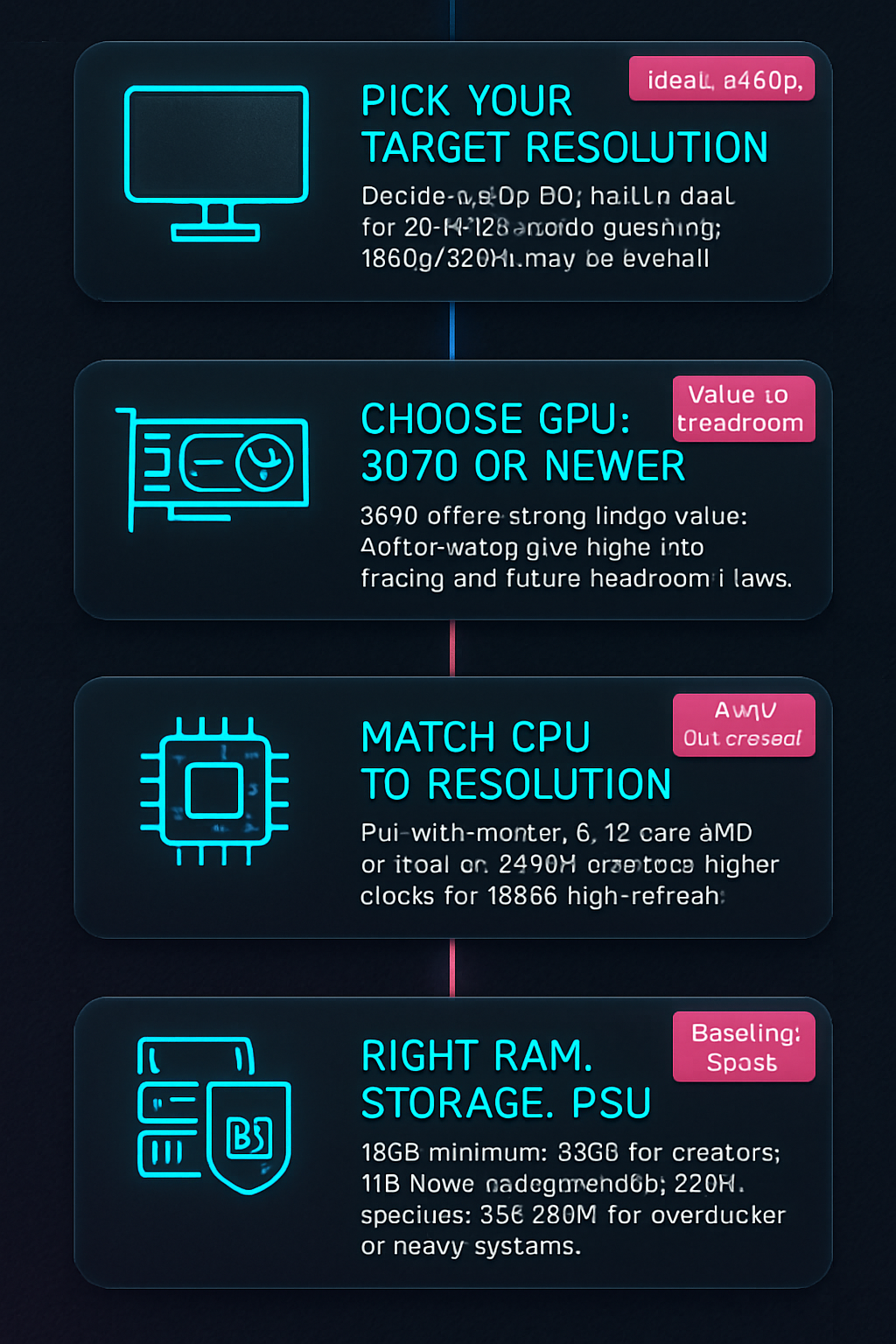
Buying guide: CPU pairing, RAM, PSU, resolution/refresh rate targets
Choosing the right components around a 3070 (or equivalent) is key to avoiding bottlenecks and getting long-term value.
CPU pairing
- If you game mainly at 1440p, a mid-to-high-end CPU is recommended to avoid CPU bottlenecks — modern 6–16 core chips from AMD or Intel are excellent partners.
- For 1080p high-refresh gaming, prioritize a faster CPU clock and IPC; for 1440p and 4K, the GPU matters more.
RAM and storage
- 16GB is the practical minimum for gaming; 32GB is recommended for creators and heavy multitasking.
- NVMe SSDs greatly reduce load times — a 1TB NVMe is a common sweet spot.
PSU and thermal headroom
For a system with a 3070-class GPU, a quality 650W PSU is commonly recommended as a baseline; higher-spec systems (overclocked CPUs, multiple drives, bigger GPUs) may need 750–850W. Always choose a reputable brand and an 80 Plus Bronze or better rating.
Resolution and refresh-rate targets
- 1440p/60–144Hz: RTX 3070-class cards are ideal.
- 4K/60: Achievable, but expect to tune settings or use upscaling.
- 1080p/240Hz: Overkill for a 3070 unless you’re targeting ultra-high refresh on esports titles; a higher-clocked GPU or newer generation card may be better for consistent 240+ FPS.
Upgrading from 20- or 30-series
Upgrading from older 20-series cards or entry-level 30-series GPUs to a 3070 or comparable card yields meaningful gains in raster performance and ray tracing. But if budget allows, consider newer-gen alternatives to maximize longevity.
Product recommendations (prebuilts)
Affiliate disclosure: We may earn a commission if you buy through links on this page. This does not affect the price you pay and helps support independent testing and guides.
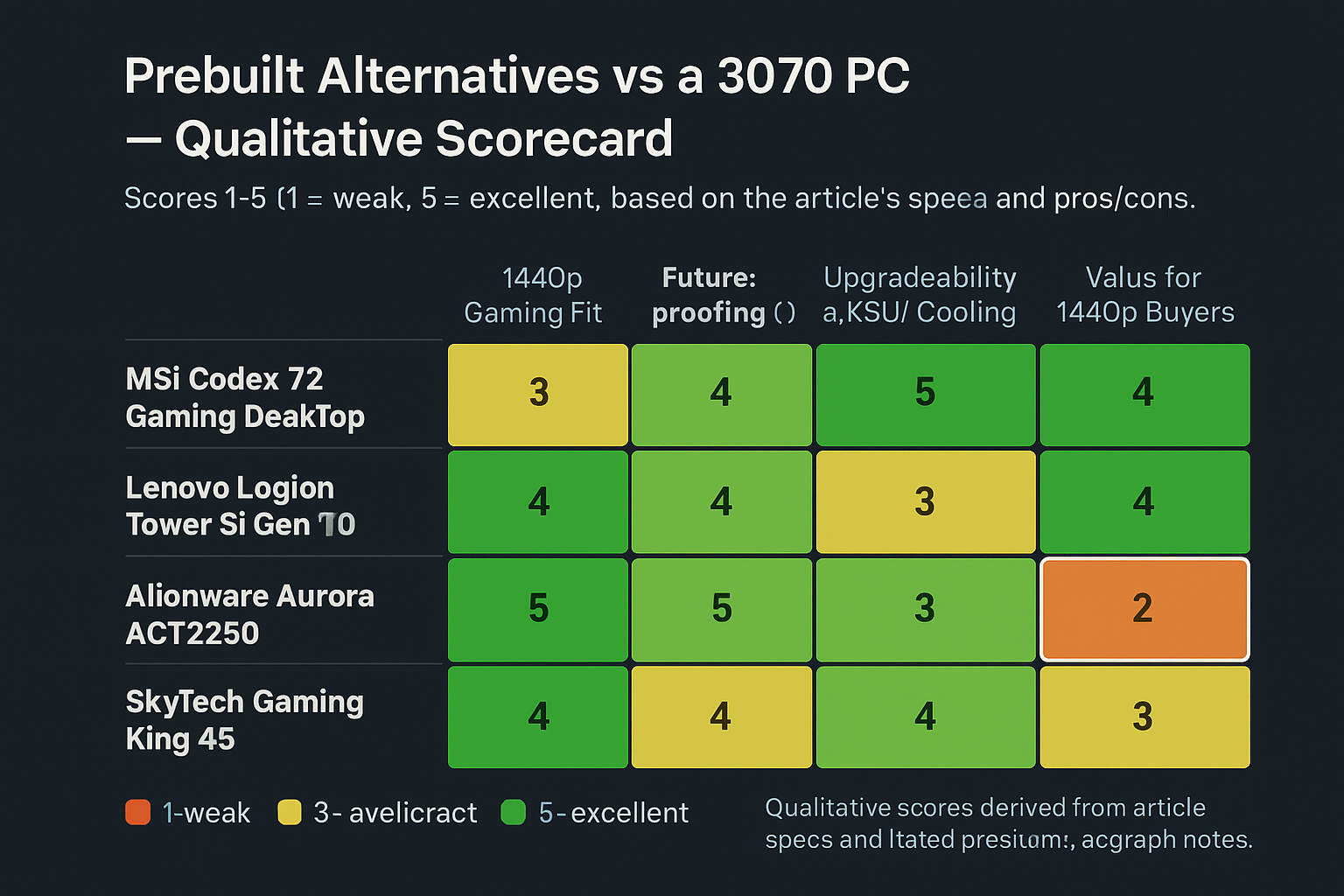
Below are a few modern prebuilt alternatives that are sensible options for someone considering a “3070 PC” — either as upgrades or as higher-performing alternatives. Each listing includes a short pros/cons summary and a direct affiliate link.
-
MSI Codex Z2 Gaming Desktop — msi Codex Z2 Gaming Desktop: AMD R7-8700F, GeForce RTX 5070, 32GB DDR5, 2TB m.2 NVMe SSD, USB Type-C, VR-Ready, Windows 11 Home : A8NVP-436US
Pros: Strong CPU/GPU balance, ample RAM and storage. Cons: Higher-tier GPU may be more than needed if you only want 1440p.
-
Lenovo Legion Tower 5i Gen 10 — Lenovo Legion Tower 5i Gen 10 Gaming Desktop 2026, Intel Ultra 7 265F(20 Cores, 20 Threads), NVIDIA GeForce RTX 5070 12GB GDDR7, 32 GB DDR5 5600MHz, 2 TB PCIe SSD, Windows 11 Pro, REDRAGON Accessories
Pros: Very powerful CPU + GPU for future-proofing. Cons: Larger power draw and cost compared to a 3070-based system.
-
Alienware Aurora ACT1250 — Alienware Aurora Gaming Desktop ACT1250 – Intel Core Ultra 7 265F, 32GB DDR5 RAM, 1TB SSD, NVIDIA GeForce RTX 5070, 1000W Platinum Rated PSU, Windows 11 Home, Clear Panel – Black
Pros: Premium build quality, strong PSU for upgrades. Cons: Dell/AW pricing premium.
-
Skytech Gaming King 95 — Skytech Gaming King 95 Desktop PC, Ryzen 7 9800X3D 4.7 GHz (5.2 GHz), NVIDIA RTX 5070 Ti 16GB, 1TB Gen4 NVMe SSD, 32GB DDR5 RAM 5600 RGB, 850W Gold ATX 3 PSU, 360mm ARGB AIO, Wi-Fi, Win 11
Pros: Excellent cooling and high-end GPU. Cons: More expensive and may be overkill for 1080p gaming.
Comparison table: alternatives to a 3070 PC
| Product | Key Specs (CPU, GPU, RAM, Storage) | Best for | Approx. Price Range | Affiliate Link |
|---|---|---|---|---|
| MSI Codex Z2 Gaming Desktop | AMD R7-8700F, GeForce RTX 5070, 32GB DDR5, 2TB m.2 NVMe SSD | High-refresh 1440p, VR, multitasking | High-end / performance-focused | Buy MSI Codex Z2 |
| Lenovo Legion Tower 5i Gen 10 | Intel Ultra 7 265F (20C), NVIDIA GeForce RTX 5070 12GB GDDR7, 32GB DDR5, 2TB PCIe SSD | Future-proofing, content creation + gaming | High-end / workstation-capable | Buy Lenovo Legion Tower 5i |
| Alienware Aurora ACT1250 | Intel Core Ultra 7 265F, NVIDIA GeForce RTX 5070, 32GB DDR5, 1TB SSD, 1000W PSU | Premium build, upgrade headroom | Premium | Buy Alienware Aurora ACT1250 |
| Skytech Gaming King 95 | Ryzen 7 9800X3D, NVIDIA RTX 5070 Ti 16GB, 32GB DDR5, 1TB Gen4 NVMe SSD, 850W Gold PSU | Enthusiast gamers and heavy creators | High-end / enthusiast | Buy Skytech King 95 |
Frequently Asked Questions
Is an RTX 3070 still good for 1440p gaming?
Yes. An RTX 3070 remains a solid choice for 1440p gaming at medium-to-high settings across many titles. You may need DLSS/FSR or some setting adjustments for the latest AAA games at very high framerates, but the 3070 class generally delivers excellent 1440p performance. See professional benchmark comparisons for specific game data (Tom’s Hardware, PC Gamer).
What PSU do I need for a 3070 PC?
For a typical single-GPU system with an RTX 3070, a high-quality 650W PSU is a common recommendation. If your build includes a high-end CPU, multiple drives, or you plan to overclock, consider a 750W or greater unit. Always choose reputable brands and look for at least an 80 Plus Bronze efficiency rating.
Should I buy a prebuilt or build my own 3070 PC?
Prebuilts offer convenience, warranty coverage, and tested component compatibility. Building your own can be cheaper and more customizable, but requires time and some technical skill. If you value convenience and warranty support, a prebuilt from a reputable vendor is a fine option; if you want maximum value and customization, consider building.
How does a 3070 compare to a 4070 or 5070?
Newer-generation cards (4070, 5070, etc.) typically offer better ray tracing, higher raw performance, and improved efficiency. The exact uplift varies by title and resolution. If you need long-term headroom for future games or high-refresh 1440p/4K, stepping up to a newer card is worthwhile; for current 1440p gaming on a budget, a 3070 remains competitive. Consult recent benchmark comparisons for apples-to-apples tests.
Is it worth buying a used 3070 PC?
Used 3070 systems can be a great value if priced reasonably and in good condition. Verify the seller, check for warranty transfers (if any), and ensure fans and cooling are functioning well. Used markets can offer great deals but require careful inspection.
Can a 3070 handle ray tracing?
Yes — the 3070 supports hardware ray tracing. For higher resolutions and smooth framerates with ray tracing enabled, combine it with DLSS or similar upscaling technologies.
Conclusion
A “3070 pc” still makes sense for many gamers in 2026, especially those focused on high-quality 1440p gaming or value-conscious creators. That said, newer 40- and 50-series GPUs push performance and ray tracing further. If you can stretch your budget, consider a newer card for more future-proofing. Otherwise, a well-balanced 3070-class build — paired with a solid CPU, 16–32GB RAM, NVMe storage, and a good PSU — will deliver excellent gaming and productivity results.
Sources
Visual Buying Guide