MSI Trident Review & Buying Guide: Compact Gaming Power for Gamers and Creators
The msi trident line has long targeted buyers who need serious desktop performance in a compact footprint. This guide breaks down what the Trident series offers, who it suits, how it performs, and how it compares to other popular prebuilt systems.
Why consider the MSI Trident
The MSI Trident is aimed at buyers who want a full-power desktop experience without the bulky tower. Its key selling points are small-form-factor (SFF) design, relatively quiet operation, and the ability to house desktop-class CPUs and GPUs in a compact chassis. That combination makes Trident models attractive to:
- Living-room gamers who need a compact desktop near the TV.
- Content creators who need GPU acceleration but have limited desk space.
- PC buyers who want a prebuilt that’s easier to transport between LAN events or workspaces.
MSI Trident models and official specs
MSI offers several Trident SKUs across different CPU and GPU generations. For up-to-date, model-specific specifications refer to the official MSI product pages:
- MSI Trident product page (official source for current SKUs and specs).
What you can expect from Trident configurations
- CPU: Desktop-class Intel Core or AMD Ryzen options depending on SKU (MSI lists available CPU options per model on the product page).
- GPU: Mobile- and desktop-class NVIDIA GeForce GPUs in compact configurations; exact GPU depends on model and SKU.
- Memory & Storage: Typically support for DDR4/DDR5 SODIMM or SO-DIMM capacities and M.2 NVMe SSDs; specifics vary by model.
- Form factor: Very small, engineered to balance airflow and acoustics in a compact chassis.
Because MSI publishes exact specifications by SKU, always check the product page for the Trident SKU you are considering: MSI Trident official page.
Performance, thermals, and upgradeability
Real-world performance
Trident systems are designed to deliver desktop-class gaming and creative performance in a smaller package. Expect:
- Smooth 1080p and strong 1440p gaming depending on GPU choice.
- Good GPU-accelerated workloads (video export, GPU rendering) when outfitted with a higher-end GPU SKU.
- Strong single-thread CPU performance on modern Intel/AMD desktop chips used in some SKUs.
Thermals and noise
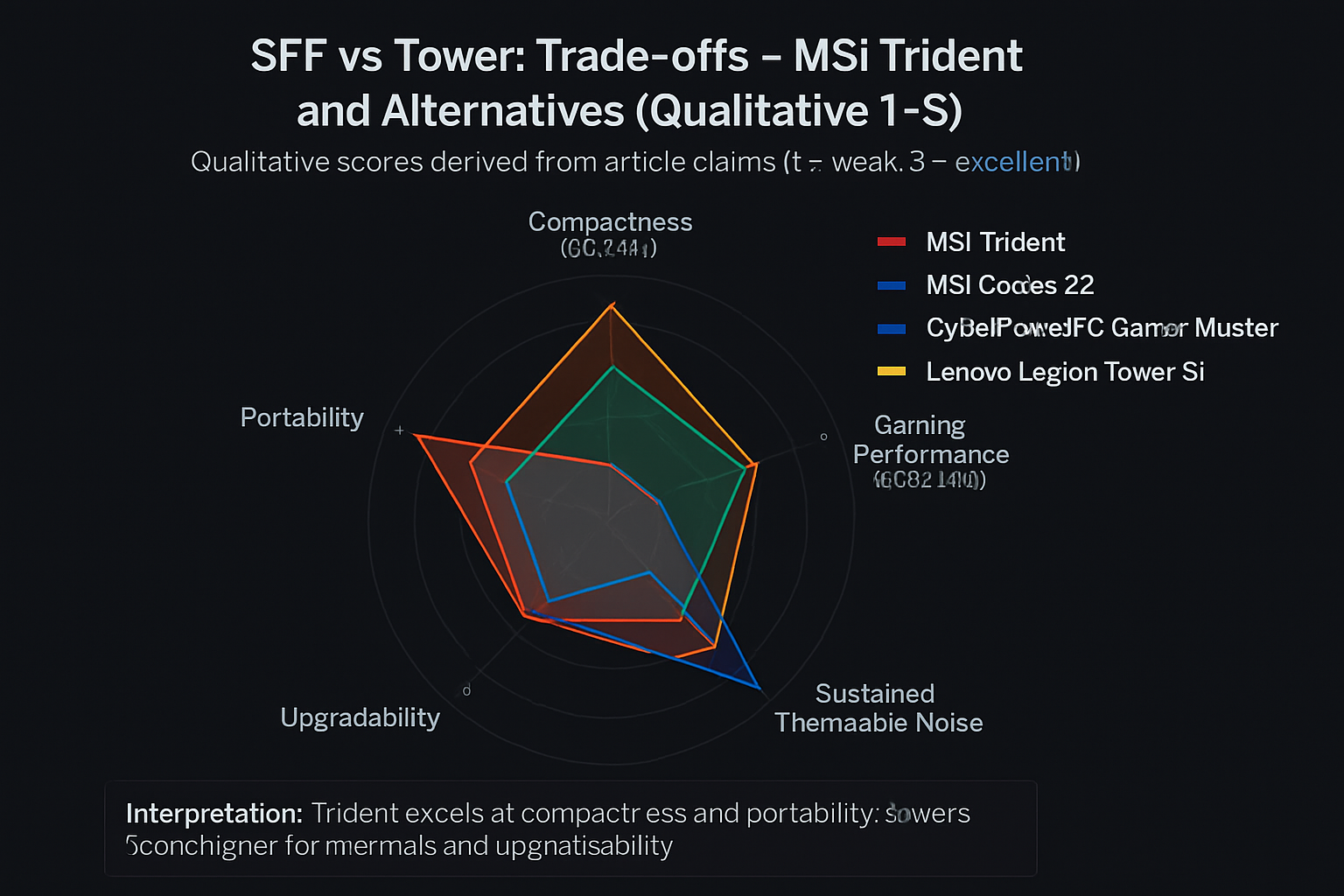
Compact cases trade off airflow area for portability. MSI addresses this with targeted cooling designs, but thermals and fan noise under sustained load can be higher than a large mid-tower. Tips to manage thermals:
- Choose a SKU with a balanced CPU/GPU pairing for your workload—don’t rely on the smallest chassis to cool a top-of-the-line GPU at full sustained TDP without expectation of higher fans.
- Keep vents unobstructed and use positive case airflow where possible.
- Consider external cooling improvements (desk placement, room ventilation) if you do long encoding or rendering sessions.
Upgradeability
Upgrades on SFF machines are more limited than on ATX towers. Many Trident models allow RAM and NVMe SSD upgrades; GPU and PSU upgrades depend on the internal layout and the power/space constraints for each SKU. Always consult the official MSI manual for your exact Trident SKU before purchasing replacement components.
Comparison: MSI Trident vs. alternatives
Below is a concise comparison table showing the MSI Trident alongside a selection of prebuilt affiliate alternatives. MSI Trident specs are linked to MSI’s official product page for reference. Affiliate product entries use the exact specs provided in the affiliate list above.
| Product | CPU | GPU | RAM | Storage | Notes / Best for |
|---|---|---|---|---|---|
| MSI Trident (varies by SKU) — official specs | Varies by model (Intel/AMD desktop-class options) — see MSI official page | Varies by model (NVIDIA GeForce series options) — see MSI official page | Varies by SKU (typically DDR4/DDR5 support) | M.2 NVMe SSD options (varies by SKU) | Best for small-form-factor builds and living-room setups; check SKU for exact performance |
| MSI Codex Z2 Gaming Desktop: AMD R7-8700F, GeForce RTX 5070, 32GB DDR5, 2TB m.2 NVMe SSD, USB Type-C, VR-Ready, Windows 11 Home : A8NVP-436US | AMD R7-8700F | GeForce RTX 5070 | 32GB DDR5 | 2TB m.2 NVMe SSD | High-performance, roomier chassis than Trident; great for high-refresh 1440p gaming |
| CyberPowerPC Gamer Master Gaming PC, AMD Ryzen 7 8700F 4.1GHz, GeForce RTX 5060 Ti 8GB, 16GB DDR5, 1TB PCIe 4.0 SSD, WiFi Ready & Windows 11 Home (GMA2900A3) | AMD Ryzen 7 8700F | GeForce RTX 5060 Ti 8GB | 16GB DDR5 | 1TB PCIe 4.0 SSD | Good price-to-performance for gamers who want a full tower with upgrade room |
| Lenovo Legion Tower 5i Gen 10 Gaming Desktop 2026, Intel Ultra 7 265F(20 Cores, 20 Threads), NVIDIA GeForce RTX 5070 12GB GDDR7, 32 GB DDR5 5600MHz, 2 TB PCIe SSD, Windows 11 Pro, REDRAGON Accessories | Intel Ultra 7 265F (20 cores) | NVIDIA GeForce RTX 5070 12GB GDDR7 | 32 GB DDR5 5600MHz | 2 TB PCIe SSD | Top-tier multi-core performance for creators and gamers; larger chassis and better cooling than SFF |
Notes on the table: MSI Trident row links directly to MSI’s official product area. The affiliate product rows use the exact specifications as provided by affiliate listings above.
Product recommendation
Affiliate disclosure: I may earn a commission if you buy through links on this page.
Below are practical recommendations depending on your priorities. Each entry links to the affiliate product listing for easy comparison.
Best small-form-factor / living-room desktop (MSI Trident)
If your priority is a compact PC that fits near a TV or on a small desk, the MSI Trident series is a purpose-built option. Check the specific Trident SKU on MSI’s official product page before purchasing: MSI Trident official page.
Best high-performance prebuilt for high-refresh gaming
MSI Codex Z2 Gaming Desktop: AMD R7-8700F, GeForce RTX 5070, 32GB DDR5, 2TB m.2 NVMe SSD, USB Type-C, VR-Ready, Windows 11 Home : A8NVP-436US — Choose this if you want a powerful, upgrade-friendly desktop with a large SSD and a strong GPU for 1440p gaming.
Best value-oriented high-refresh desktop
CyberPowerPC Gamer Master Gaming PC, AMD Ryzen 7 8700F 4.1GHz, GeForce RTX 5060 Ti 8GB, 16GB DDR5, 1TB PCIe 4.0 SSD, WiFi Ready & Windows 11 Home (GMA2900A3) — A solid mid-high range option with modern components for gamers on a budget relative to flagship builds.
Best for creators who need multi-core CPU and GPU muscle
Lenovo Legion Tower 5i Gen 10 Gaming Desktop 2026, Intel Ultra 7 265F(20 Cores, 20 Threads), NVIDIA GeForce RTX 5070 12GB GDDR7, 32 GB DDR5 5600MHz, 2 TB PCIe SSD, Windows 11 Pro, REDRAGON Accessories — Excellent for content creators who need many cores for video export and strong GPU acceleration.
These recommendations cover a range of buyer needs. If you specifically want the smallest footprint, prioritize a Trident SKU and confirm GPU/CPU thermals on MSI’s official SKU page.
Conclusion
The msi trident line is an attractive option when compact size, portability, and a near-desktop performance profile matter most. It is ideal for living-room gaming, small desks, and users who value a neat setup. However, if raw upgradeability, lower sustained thermals, or absolute top-end performance per dollar are your priorities, larger full-size towers like the MSI Codex Z2, CyberPowerPC Gamer Master, or Lenovo Legion Tower 5i provide better headroom.
Always verify the exact MSI Trident SKU’s specifications on MSI’s official product page before purchase and compare the precise GPU/CPU pairing to your use-case requirements.
Frequently Asked Questions
Is the MSI Trident good for gaming?
Yes—Trident SKUs are configured for gaming. Performance depends on the exact GPU/CPU SKU; higher-end Trident models can handle 1080p and strong 1440p gaming.
Can I upgrade the GPU in an MSI Trident?
Upgradeability varies by Trident SKU and internal layout. Many SFF systems have physical and PSU constraints, so check the official MSI manual for your model before attempting a GPU upgrade.
Are Trident systems noisy under load?
SFF systems can run fans faster under sustained load due to smaller cooling capacity. MSI tunes its cooling for a balance of noise and thermal control, but expect higher fan activity under long gaming or rendering sessions compared to larger towers.
Which is better for content creation: Trident or a full tower?
For heavy content creation workflows that require long rendering sessions, a full tower typically offers better thermals and upgradeability. Trident is suitable for lighter creative workloads or users prioritizing space savings.
Where can I find official MSI Trident specifications?
MSI publishes full SKU specifications on its product pages. Visit the MSI Trident product area for exact configurations and manuals: MSI Trident official page.
How do I choose the right Trident SKU?
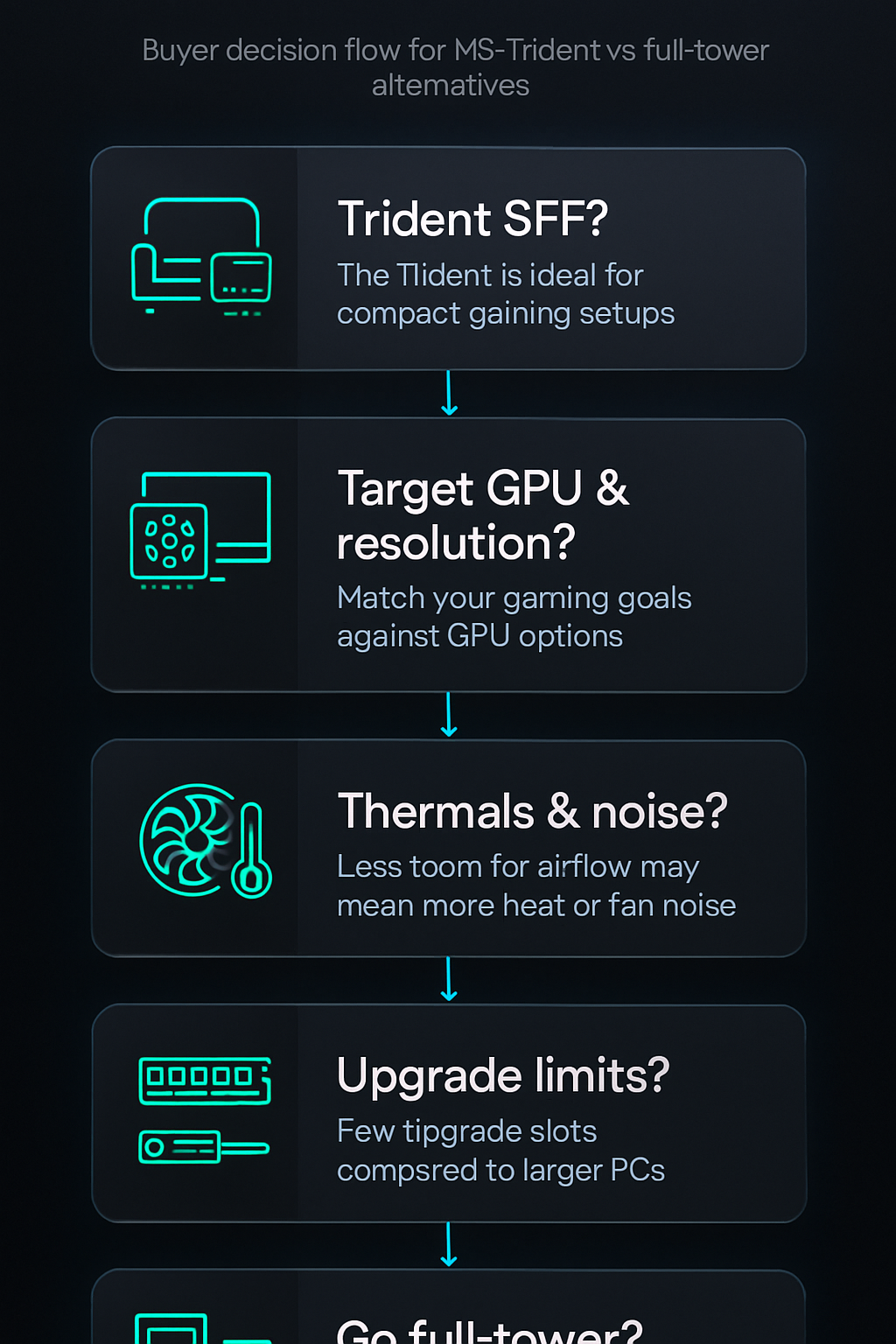
Decide first on the GPU and CPU level you need (based on target resolution and creative workloads), then confirm the Trident SKU’s thermal design and upgrade options. If you need more upgrade headroom, consider a mid/full tower alternative.
Visual Buying Guide