Are Gaming PCs Worth It? A Practical Guide to Value, Performance, and Buying Right
Short answer: Often yes — if you want higher frame rates, better graphics fidelity, modding, VR, or long‑term upgradeability. This guide walks you through cost vs. performance, who gets the most value, alternatives, and specific systems to consider.
Who benefits most from a gaming PC?
Not every gamer needs a high‑end PC. The value depends on what you play, how you play, and what else you want to do with the machine.
Competitive gamers
- High frame rates matter for aiming and responsiveness (120Hz, 240Hz+ displays).
- Gaming PCs offer the GPU/CPU power needed to sustain high FPS in modern shooters and esports titles.
Single‑player and simulation fans
- Wanting max visuals, ray tracing, or heavy mods (like in simulation and open‑world games) benefits from a PC’s horsepower.
- PCs unlock higher resolution, texture mods, and custom content tools.
Streamers and content creators
- Streaming, video editing, and asset creation use CPU and RAM — a gaming PC multitasks better than consoles.
Casual players
- If you primarily play indie or casual titles at 30–60 FPS and prefer convenience, a console or budget laptop can be more cost‑effective.
Cost vs. performance: what to expect
Understand three core ways gaming PCs deliver value: raw performance, upgradeability, and multi‑purpose use.
Initial cost
Gaming PCs cover a wide range — from budget builds suitable for 1080p gaming to premium systems that handle 4K, ray tracing, and VR. Expect to pay more upfront than a console for top performance, but you gain flexibility.
Long‑term value and upgrades
One of the biggest advantages of a PC is the ability to upgrade parts over time. A mid‑range machine with a good case and motherboard can accept a faster GPU or more RAM without replacing the whole system.
Cost per frame
For serious competitive players, the cost per frame can be lower over time because you can upgrade the GPU only, rather than buying a whole new console generation to improve performance.
Alternatives: consoles, laptops, and cloud gaming
Consoles
- Pros: lower upfront cost, simple plug‑and‑play, exclusive titles.
- Cons: limited upgradeability, lower maximum graphical fidelity, slower patch/mod ecosystem.
Gaming laptops
- Pros: portable, good balance of performance and convenience. Modern laptops can be powerful enough for high settings.
- Cons: generally harder/expensive to upgrade, thermals can limit sustained performance.
Cloud gaming
- Pros: minimal hardware investment, play on any device with internet.
- Cons: depends on low‑latency, high‑bandwidth internet; not ideal for competitive players who need minimal input lag.
How to decide what to buy (budget tiers)
Start by setting priorities: resolution (1080p, 1440p, 4K), refresh rate (60Hz vs 144Hz+), and extra use cases like streaming or editing.
Budget / Entry level
Best if you want smooth 1080p gaming and don’t need the latest ray tracing tricks. Good entry PCs often cover popular esports titles and older AAA games well.
Mid‑range
A solid choice for most gamers: 1440p at high settings, good for streaming and heavier workloads. You’ll see the best value-per-dollar here for performance and longevity.
High‑end
For 4K, VR, and future‑proofing. High‑end systems cost more but deliver top visuals and higher frame rates. If you want the absolute best experience or work with demanding creative apps, these are worth it.
Recommended gaming PCs
Affiliate disclosure: Some links below are affiliate links. If you buy through these links we may earn a commission at no extra cost to you.
Below are practical picks across performance tiers. Each link opens the product page.
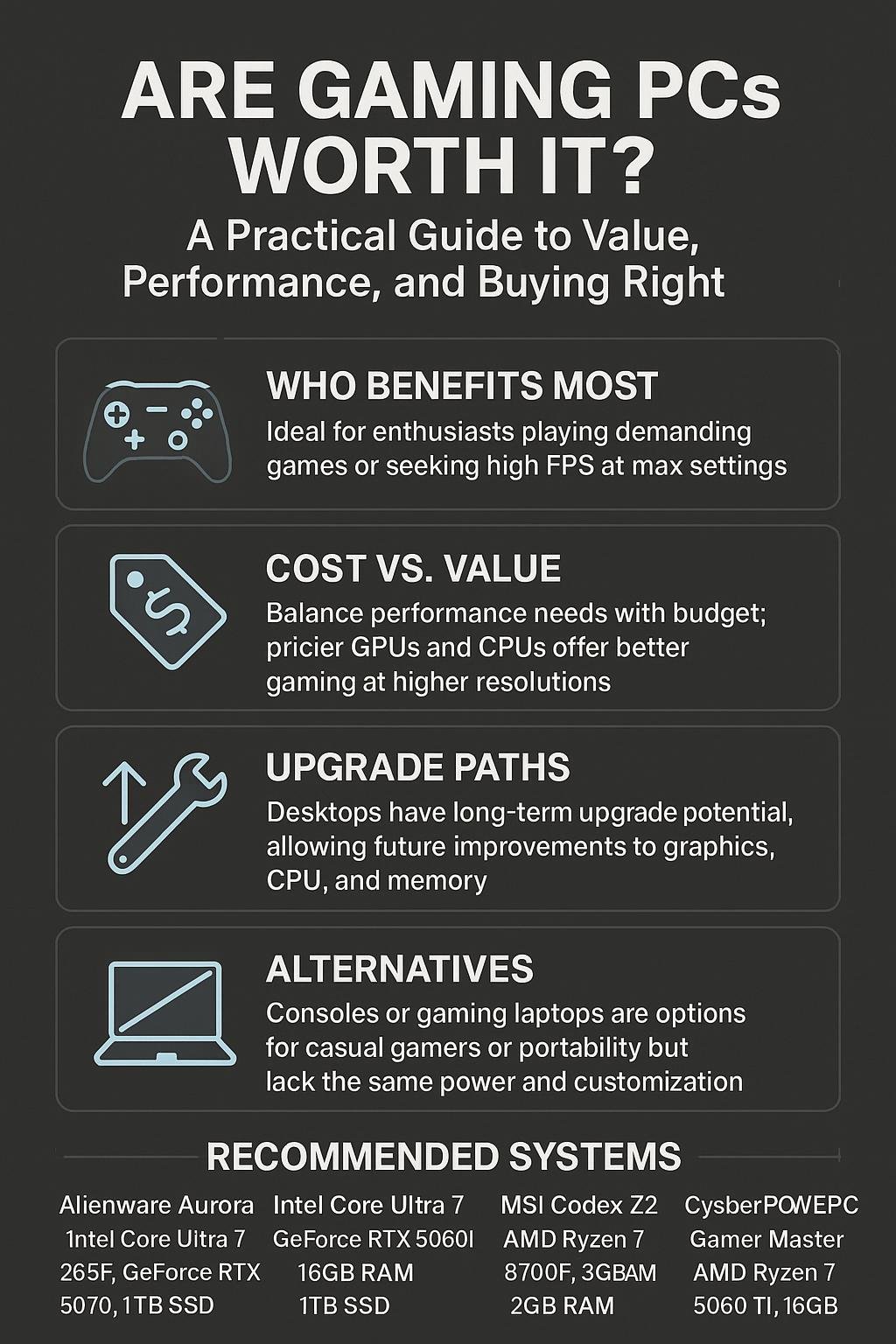
Best for high performance — Alienware Aurora (RTX 5070)
Alienware Aurora Gaming Desktop ACT1250 – Intel Core Ultra 7 265F, 32GB DDR5 RAM, 1TB SSD, NVIDIA GeForce RTX 5070, 1000W Platinum Rated PSU, Windows 11 Home, Clear Panel – Black. A strong choice if you want a ready‑to‑use, well‑cooled desktop that targets high settings and smooth frame rates. Buy here: Alienware Aurora Gaming Desktop (RTX 5070).
Best mid‑range / compact option — Alienware Aurora (RTX 5060Ti)
Alienware Aurora Gaming Desktop ACT1250 – Intel Core Ultra 7 265F Processor, Air Cooled, NVIDIA GeForce RTX 5060Ti, 16GB DDR5 RAM, 1TB SSD, 500W Platinum Rated PSU, Windows 11 Home – Clear Panel. Good balance of price and performance for 1440p gaming. Buy here: Alienware Aurora (RTX 5060Ti).
Best value for VR and heavy workloads — MSI Codex Z2
msi Codex Z2 Gaming Desktop: AMD R7‑8700F, GeForce RTX 5070, 32GB DDR5, 2TB M.2 NVMe SSD, USB Type‑C, VR‑Ready, Windows 11 Home. Great option for high‑memory workflows and VR. Buy here: msi Codex Z2 (RTX 5070).
High‑end enthusiast build — Cooler Master TD5 Pro
Cooler Master TD5 Pro Gaming PC – AMD RYZEN 7 9800X3D, NVIDIA GeForce RTX 5090 32GB, 32GB DDR5 6000MHz, 2TB Gen4 M.2, Windows 11. If you want cutting‑edge performance for 4K and content creation, consider this system. Buy here: Cooler Master TD5 Pro.
Comparison table
| Model | CPU | GPU | RAM | Storage | Best for | Link |
|---|---|---|---|---|---|---|
| Alienware Aurora (RTX 5070) | Intel Core Ultra 7 265F | NVIDIA GeForce RTX 5070 | 32GB DDR5 | 1TB SSD | High performance/4K readiness | Buy |
| Alienware Aurora (RTX 5060Ti) | Intel Core Ultra 7 265F | NVIDIA GeForce RTX 5060Ti | 16GB DDR5 | 1TB SSD | Mid‑range gaming / 1440p | Buy |
| msi Codex Z2 | AMD R7‑8700F | GeForce RTX 5070 | 32GB DDR5 | 2TB M.2 NVMe | VR / heavy multitasking | Buy |
| Cooler Master TD5 Pro | AMD RYZEN 7 9800X3D | NVIDIA GeForce RTX 5090 | 32GB DDR5 6000MHz | 2TB Gen4 M.2 | Enthusiast / 4K & content creation | Buy |
Where gaming PCs give the best value
Consider a gaming PC if any of the following are true:
- You value high refresh rates and low input lag for competitive play.
- You want to run mods, custom shaders, or community content that consoles don’t support.
- You plan to use the machine for streaming, video editing, or creative work alongside gaming.
- You want a machine that can be upgraded over time instead of replaced entirely.
Tips to maximize value
- Buy a machine with good airflow and a decent PSU — those components make upgrades easier and safer.
- Prioritize GPU and CPU balance; a very fast GPU bottlenecked by a weak CPU reduces value.
- Consider refurbished or last‑gen GPUs for budget builds — significant savings with still-good performance.
Conclusion
Are gaming PCs worth it? For many gamers the answer is yes — especially if you want higher frame rates, richer visuals, the ability to mod, or a multi‑purpose machine for creative work. For casual players who value simplicity and lower cost, consoles or cloud gaming can be more attractive.
Choose a system that matches your priorities: aim for a balanced mid‑range PC for the best cost‑to‑performance ratio, and invest in a high‑end desktop only if you need 4K/VR or heavy creative workloads. Consider the recommended systems above to get started quickly.
FAQs
1. Will a gaming PC last longer than a console?
Yes in the sense that you can upgrade parts of a PC (GPU, RAM, storage). Consoles are fixed hardware until the next generation. Upgrades let you extend a PC’s useful life without replacing the entire unit.
2. Can I game well on a laptop instead of a desktop PC?
Modern gaming laptops offer excellent performance and portability, but they tend to run hotter and are harder/expensive to upgrade than desktops. Choose a laptop if portability matters more than long‑term upgrade flexibility.
3. Is building a PC cheaper than buying prebuilt?
Building can be cheaper if you shop parts smartly, but prebuilt systems often provide warranties and convenience. For first‑time buyers who don’t want to assemble parts, a prebuilt from a reputable brand is a solid option.
4. How much RAM and storage do I need?
16GB RAM is the current practical minimum for gaming. 32GB is helpful for streaming or creative workloads. For storage, aim for at least a 500GB–1TB SSD for OS and main games; add larger drives for extensive libraries.
5. Do I need the latest GPU to get good performance?
No. Recent two‑gen‑old GPUs still perform well at 1080p/1440p. Decide based on your target resolution and refresh rate rather than chasing the absolute newest model.
6. Are prebuilt gaming PCs a good value?
Yes—prebuilts can be a great value, especially when manufacturers bundle components efficiently and offer warranties. Look for reputable brands and clear specs so you know what you’re buying.
Visual Buying Guide