Are Gaming PCs Better Than Gaming Laptops? A Practical Comparison and Buying Guide
Choosing between a gaming PC and a gaming laptop comes down to trade-offs: raw performance and upgrade potential versus portability and convenience. This guide gives direct, practical comparisons to help you decide which is better for your needs, plus recommended systems at different budgets.
Table of Contents
- Quick Answer
- Key Factors to Consider
- Detailed Comparison: Desktop vs Laptop
- Product Recommendations (Affiliate Links)
- Comparison Table
- How to Choose Based on Your Needs
- Conclusion
- FAQs
Quick Answer
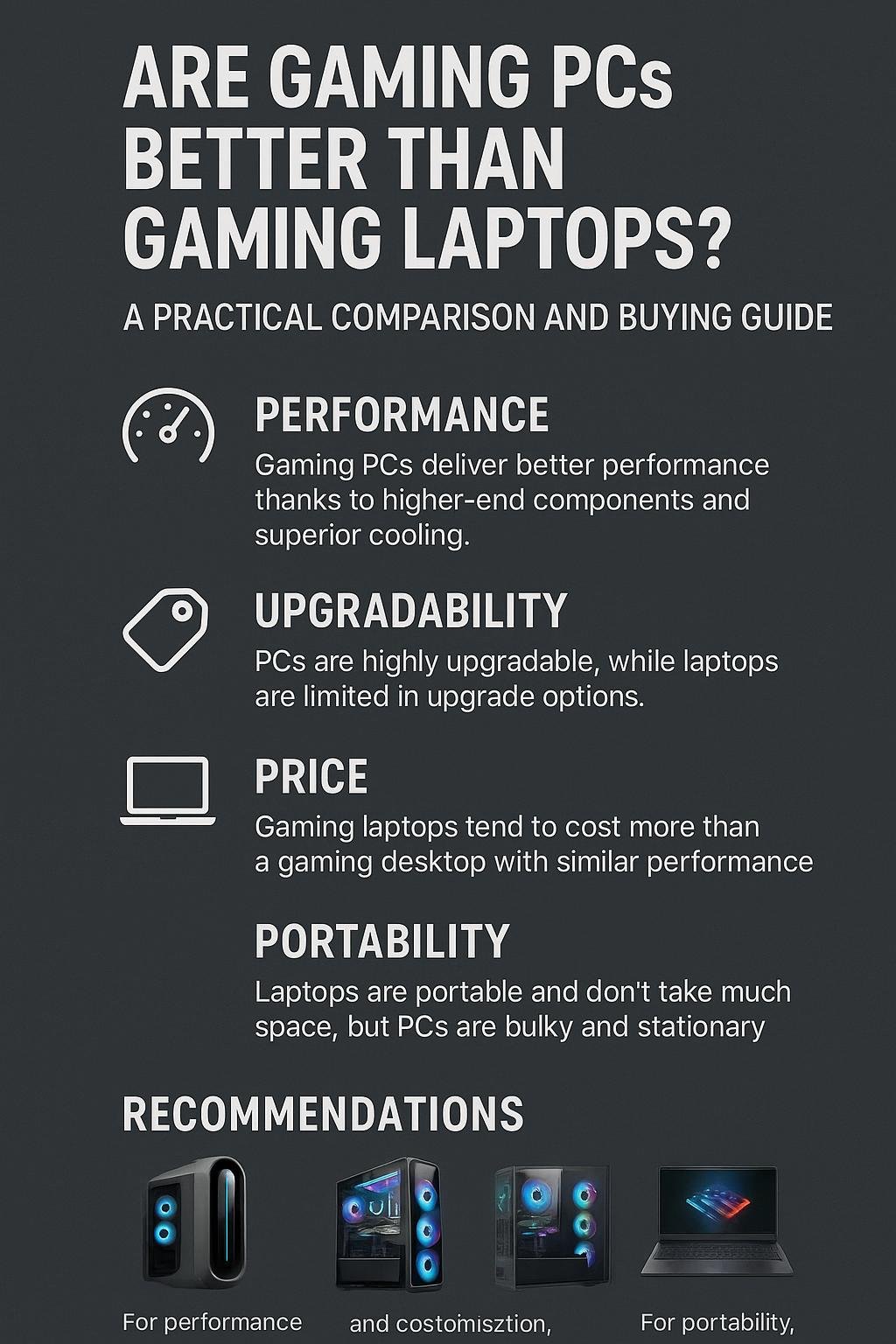
If you prioritize maximum performance, long-term value, and upgradeability, a gaming PC (desktop) is generally better. If you need portability and a compact all-in-one package, a gaming laptop is the practical choice. Both can deliver excellent gaming experiences; the best choice depends on which trade-offs you accept.
Key Factors to Consider
Performance
- Desktops can house higher-wattage CPUs and GPUs, allowing sustained peak performance for demanding games and high refresh-rate monitors.
- Laptops use mobile-class components and thermal limits, so raw performance is often lower than similarly priced desktops.
Upgradability and Lifespan
- Desktops are easier and cheaper to upgrade (GPU, CPU, RAM, storage, PSU, cooling).
- Most laptops offer limited upgrades (usually storage and sometimes RAM); GPU and CPU upgrades are generally not possible.
Portability
- Laptops are unmatched for gaming on the go and small-space setups.
- Desktops require dedicated space and peripherals but can be optimized for ergonomics and cooling.
Price and Value
- Desktops typically offer more performance per dollar because components are less constrained by power and cooling.
- Gaming laptops bundle portability, display, keyboard, and battery into one unit—this convenience increases cost.
Detailed Comparison: Desktop vs Laptop
1. Performance in Real-World Gaming
Modern gaming desktops can run top-tier GPUs and high-core-count CPUs that sustain higher clock speeds under load. For gamers targeting 1440p at high refresh rates or 4K gaming, desktops typically deliver better frame rates and smoother experiences.
2. Thermals and Noise
Desktops have more space for larger heatsinks, multiple fans, and liquid cooling options. That means better thermal headroom and often lower noise at equivalent performance levels. Gaming laptops have compact cooling solutions that can lead to thermal throttling under long sessions and sometimes louder fans.
3. Upgrade Path and Repairability
Want a GPU upgrade next year? Desktop: relatively straightforward. Laptop: usually not possible or prohibitively costly. Desktops also let you replace PSUs, motherboards, and cases to extend system life.
4. Portability and Convenience
If you travel, use multiple work locations, or attend LANs, a gaming laptop is a clear winner. It includes display, keyboard, and battery. Desktops demand a monitor, keyboard, mouse, and desk space.
5. Price Considerations
At the same price point, desktops generally outperform laptops. Laptops add a premium for the miniaturized components and integrated display. Factor in the cost of peripherals for a desktop—cheaper monitors and keyboards are available, but they add to initial spend.
6. Use Case Scenarios
- Esports/High-FPS gaming: Desktop with a powerful GPU and high-refresh monitor.
- Content creation plus gaming: Desktop for CPU/GPU cores and storage scalability.
- Student or commuter who games: Laptop for portability and convenience.
- Small living spaces: A compact desktop can work, but a laptop is often simpler.
Product Recommendations (Affiliate Links)
Affiliate disclosure: The following links are affiliate links. If you buy through them I may earn a commission at no extra cost to you.
Below are practical picks across categories. Each entry includes a short reason to consider it and a direct purchase link.
High-Performance Desktop — Best for Max FPS and Upgradability
Consider the Cooler Master TD5 Pro Gaming PC for top-end performance and a future-proof build.
- Why choose it: High-end CPU and GPU combination, ample RAM and fast storage for demanding titles.
- Buy link: Cooler Master TD5 Pro Gaming PC – AMD RYZEN 7 9800X3D, NVIDIA GeForce RTX 5090 32GB
Balanced Desktop — Best Value for High-Quality Gaming
The MSI Codex Z2 offers a strong balance of hardware for high-quality gaming without extreme pricing.
- Why choose it: Solid CPU/GPU pairing, plenty of RAM and fast NVMe storage suitable for modern titles.
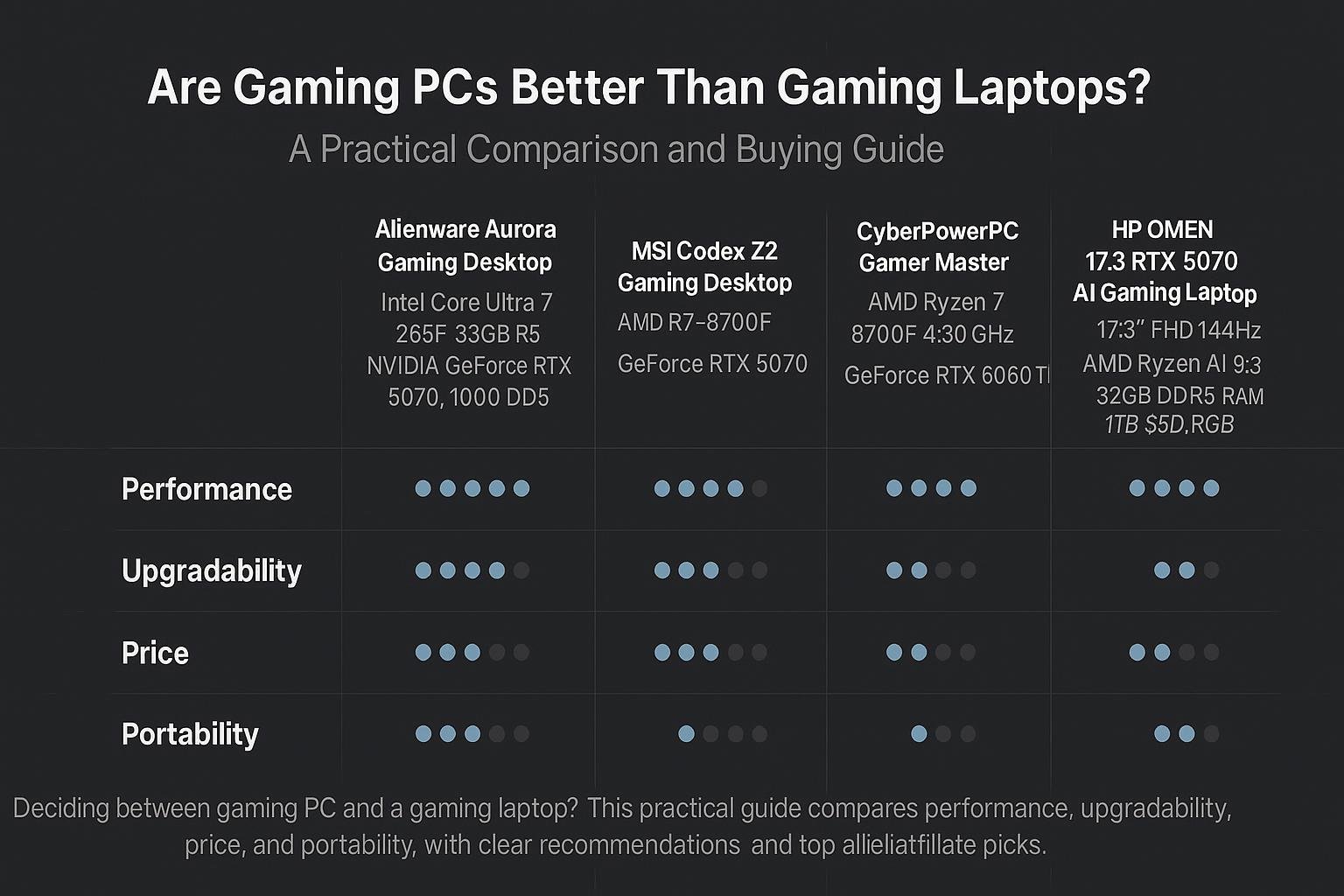
- Buy link: msi Codex Z2 Gaming Desktop: AMD R7-8700F, GeForce RTX 5070, 32GB DDR5
Portable Power — Laptop for Gamers Who Move
If mobility is a must, the HP OMEN 17.3 is a practical high-performance gaming laptop with a large display and strong mobile silicon.
- Why choose it: 17.3″ display, high-refresh panel, and powerful mobile CPU suitable for on-the-go gaming.
- Buy link: HP OMEN 17.3 RTX 5070 AI Gaming Laptop, AMD Ryzen AI 9 365
Compact Desktop — Good Entry-Level Upgradeable Option
For a smaller footprint with upgrade options, the Alienware Aurora ACT1250 models provide recognizable brand builds and different GPU options depending on budget.
- Model (higher GPU): Alienware Aurora Gaming Desktop ACT1250 – RTX 5070
- Model (value GPU): Alienware Aurora Gaming Desktop ACT1250 – RTX 5060Ti
Comparison Table: Gaming PC vs Gaming Laptop
| Factor | Gaming PC (Desktop) | Gaming Laptop |
|---|---|---|
| Raw Performance | Higher ceiling due to desktop GPUs/CPUs and power headroom | Strong but limited by mobile components and thermal constraints |
| Upgradability | High — easy GPU/CPU/RAM/Storage/PSU upgrades | Low — usually storage and sometimes RAM only |
| Portability | Low — needs desk, monitor, and peripherals | High — all-in-one unit with battery |
| Price per Performance | Better — more performance for the money | Higher premium for compact design and display |
| Thermals & Noise | Better cooling options and quieter at similar performance | Potential for higher temps and louder fans under load |
| Best for | Serious gamers, streamers, and creators who want upgrade paths | Students, travelers, and LAN participants |
How to Choose Based on Your Needs
1. If you prioritize performance and future upgrades
Choose a desktop. Look for a system with a current-generation GPU that meets your target resolution and refresh rate. Make sure the case and PSU allow future upgrades.
2. If you need portability
Choose a gaming laptop with a display size and battery life that fit your routine. Expect higher cost and plan for external cooling or docks if you want desktop-like performance when stationary.
3. If you’re on a tight budget
Desktops typically provide more performance for the money. Consider entry or mid-level desktops and purchase a decent monitor separately over time.
4. If you want a mix of both
Some users pair a modest gaming laptop with a desktop replacement at home or use an external GPU enclosure, though eGPU solutions can be expensive and have limitations.
Conclusion
Are gaming PCs better than gaming laptops? In most measurable ways — raw performance, upgradeability, thermal control, and long-term value — gaming desktops are better. However, gaming laptops win on portability and convenience. Choose a desktop if you value performance and upgrade paths; choose a laptop if mobility and a compact all-in-one solution matter more. Use the recommendations above to match systems to your priorities.
Frequently Asked Questions
1. Can a gaming laptop match a desktop’s performance?
Some high-end gaming laptops come close to desktop performance for short bursts, but they generally can’t sustain peak performance as long due to thermal and power limits.
2. Is it cheaper to build a gaming PC than buy a gaming laptop?
Typically, yes. Building a desktop often yields better components for the money. Prebuilt desktops reduce setup time and warranty complexity but still usually offer better value than laptops at the same performance level.
3. Will a desktop last longer than a laptop?
Desktops tend to have longer useful lifespans because you can upgrade major components rather than replacing the entire system.
4. Do gaming laptops overheat often?
Some gaming laptops run hotter, especially slim designs with high-power components. Good airflow, regular cleaning, and using cooling pads help manage temperatures.
5. Should I buy a desktop if I occasionally travel?
If traveling is occasional and home performance matters most, buy a desktop for home and consider a modest laptop or tablet for travel. If travel gaming is frequent, prioritize a laptop.
6. Are external GPUs (eGPUs) a good solution?
eGPUs can boost laptop performance but add cost and have bandwidth limitations. They’re a niche solution best for users who need occasional desktop-grade GPU performance while retaining laptop portability.
Recommended further reading on hardware trade-offs and benchmark methodology can be found at trusted hardware publications such as Tom’s Hardware and PC Gamer.
Visual Buying Guide