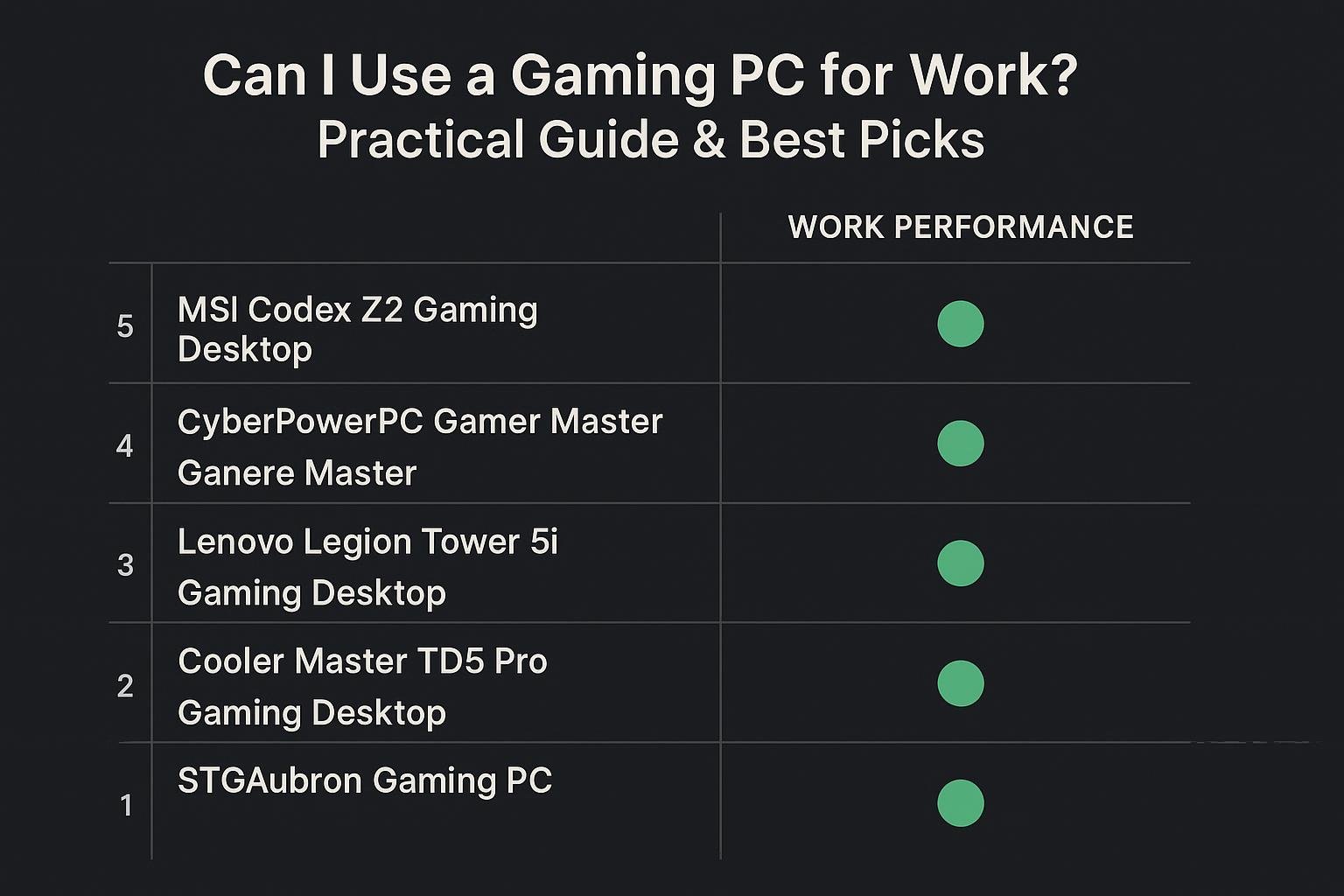
Can I Use a Gaming PC for Work? Practical Guide & Best Picks
Short answer: yes. A gaming PC can be an excellent choice for work—often offering extra performance, expandability, and longevity compared with mainstream office PCs. This guide walks you through when a gaming rig makes sense for your job, what to look for, and recommended models that work well for productivity, content creation, and hybrid office setups.
Table of contents
- Is a gaming PC suitable for work?
- Key specs to check for work
- When a gaming PC is overkill
- Setup tips to make your gaming PC more “work-friendly”
- Product recommendations
- Comparison table
- FAQs
- Conclusion
Is a gaming PC suitable for work?
Yes—gaming PCs are built for high performance under load, which translates well to demanding professional tasks. Typical advantages for work include:
- Powerful CPUs and GPUs that accelerate tasks like video editing, 3D rendering, data analysis, and virtual machines.
- Faster storage (NVMe SSDs) and more memory options for multitasking and large files.
- Better cooling and power delivery for sustained workloads.
- Easy upgrade paths—many gaming towers are designed to accept bigger GPUs, more RAM, and additional drives.
Common work scenarios where gaming PCs excel
- Creative work (video editing, motion graphics, photo editing).
- Software development with multiple VMs and containers.
- Engineering and 3D modeling where GPU acceleration helps.
- Multitasking-heavy office work with many browser tabs, spreadsheets, and conferencing.
Key specs to check for work
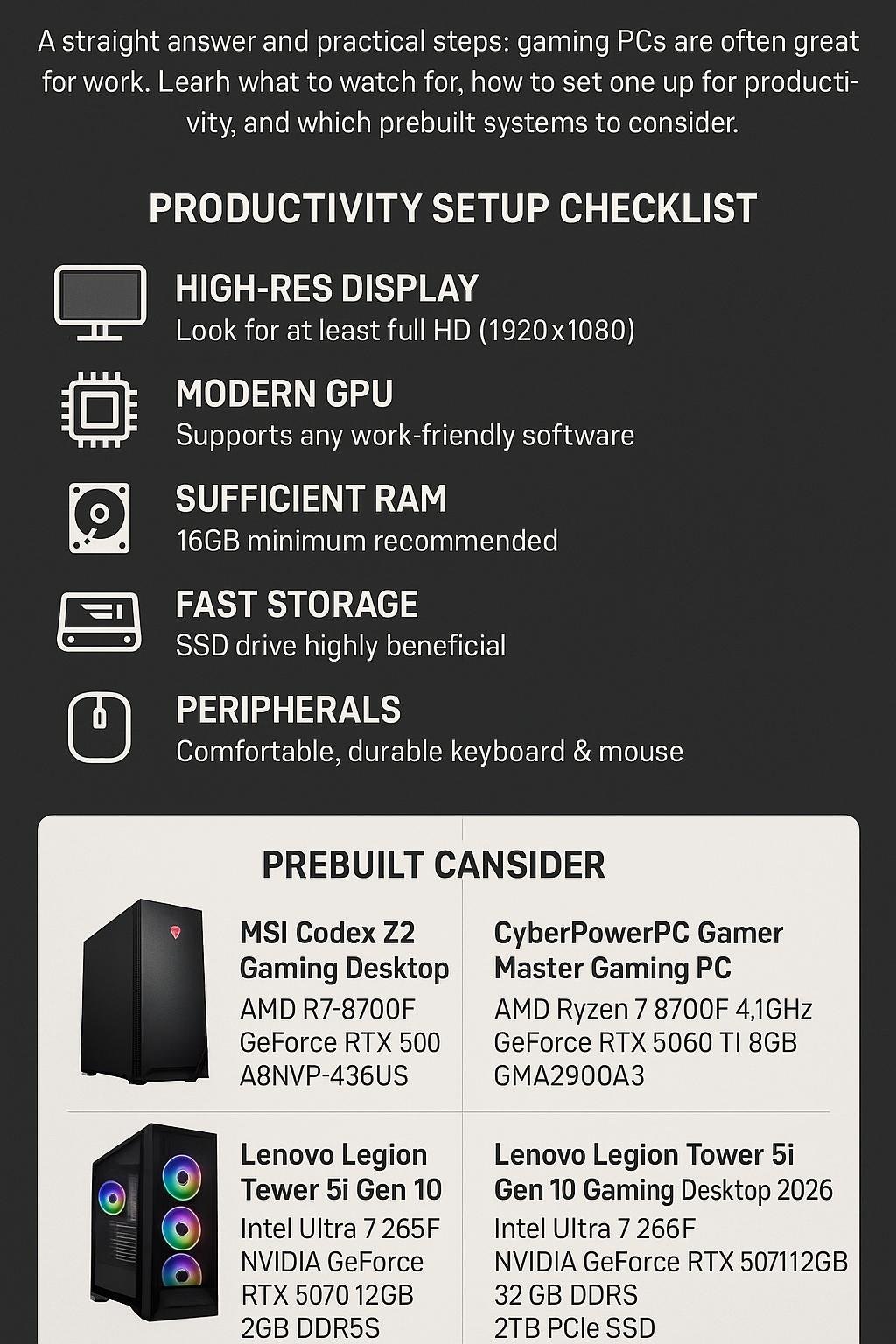
When evaluating a gaming PC for work, focus on a few practical areas rather than chasing raw GPU numbers:
CPU
Look for higher core counts and strong single-threaded performance—both matter. For many productivity tasks, a modern Ryzen 7/9 or Intel equivalent provides a good balance between core count and IPC.
RAM
16 GB is a bare minimum for general productivity. For developers, creators, or power users, 32 GB or 64 GB is preferable.
Storage
NVMe SSDs drastically reduce load and file-transfer times. Aim for at least 512 GB NVMe for OS and apps, plus a secondary drive if you handle large media projects.
GPU
For typical office apps, the GPU is less important. But for editing, 3D, or GPU-accelerated compute, choose a card that supports the frameworks you need (CUDA, OptiX, OpenCL, etc.).
Ports and connectivity
Ensure you have adequate USB ports, USB-C with DisplayPort/Power Delivery if needed, and gigabit ethernet or Wi‑Fi 6/7 for fast networking.
When a gaming PC is overkill
Not every user needs a gaming-grade system. Consider a mainstream business PC instead if:
- Your work is limited to email, web browsing, and basic office apps.
- You have strict IT policies requiring approved enterprise hardware or images.
- Battery-powered portability is important (laptops are better).
- Noise or power consumption needs to be minimal in a quiet office environment.
Cost vs benefit
If the extra CPU/GPU horsepower won’t speed up your daily tasks, you’ll be paying for headroom you don’t use. But if you want one machine that can handle both gaming and heavy workloads, a gaming desktop is often a cost-effective choice long-term.
Setup tips to make your gaming PC more “work-friendly”
1. Choose a clean desktop and workspace
- Create dedicated virtual desktops for work and personal apps.
- Use separate browser profiles to keep work and personal tabs isolated.
2. Tune power and cooling
Configure balanced or performance power profiles depending on your noise tolerance. For long renders or builds, allow higher fan curves and ensure good ambient airflow.
3. Backup and redundancy
Use an external drive or cloud backup solution. If your work depends on uptime, consider RAID or a secondary drive for redundancy.
4. Peripherals and ergonomics
- Invest in a good ergonomic keyboard, mouse, and an adjustable monitor arm.
- High refresh monitors help with smooth scrolling; color-accurate displays are important for creatives.
Affiliate disclosure
Some links in the recommendations below are affiliate links. If you buy after clicking, we may earn a commission at no extra cost to you. We only recommend products we consider useful for work and gaming.
Product recommendations: gaming PCs that work well for productivity
Below are a few prebuilt systems that strike a good balance for work and gaming. Each entry links to the product page.
- MSI Codex Z2 Gaming Desktop: AMD R7-8700F, GeForce RTX 5070, 32GB DDR5, 2TB m.2 NVMe SSD, USB Type-C, VR-Ready, Windows 11 Home — Strong CPU and 32 GB RAM make this a solid all-around workstation for editing, multitasking, and running VMs.
- CyberPowerPC Gamer Master Gaming PC, AMD Ryzen 7 8700F, GeForce RTX 5060 Ti, 16GB DDR5, 1TB PCIe 4.0 SSD — A good entry point that balances price and performance for developers and creators who need a reliable NVMe drive.
- Lenovo Legion Tower 5i Gen 10 Gaming Desktop 2026, Intel Ultra 7 265F, NVIDIA GeForce RTX 5070, 32 GB DDR5, 2 TB PCIe SSD, Windows 11 Pro — Enterprise-friendly OS option (Windows 11 Pro) plus high RAM and storage make it suitable for professional environments.
- KOTIN Prebuilt Gaming PC: Ryzen 5 9600X, GeForce RTX 5060, 16GB DDR5 6000MHz, 1TB PCIe 4.0 SSD, WiFi 7, Windows 11 Home — Compact option with fast RAM and SSD for snappy day-to-day productivity.
How to pick among these
- Need lots of multitasking and heavy creative workloads? Prioritize 32GB RAM and larger NVMe SSDs (MSI Codex Z2, Lenovo Legion Tower 5i Gen 10).
- On a tighter budget but still want speed? Look at the CyberPowerPC or KOTIN for balanced performance and cost.
- Want Windows 11 Pro for business features like BitLocker and group policy? Choose the Lenovo model listed.
Comparison table
| Model | Key specs | Best for | Buy |
|---|---|---|---|
| MSI Codex Z2 | AMD R7-8700F, GeForce RTX 5070, 32GB DDR5, 2TB M.2 NVMe, USB-C | Heavy multitasking, editing, future-proofing | Buy MSI Codex Z2 |
| CyberPowerPC Gamer Master | AMD Ryzen 7 8700F, RTX 5060 Ti, 16GB DDR5, 1TB PCIe 4.0 SSD | Balanced performance for creators and developers | Buy CyberPowerPC |
| Lenovo Legion Tower 5i Gen 10 | Intel Ultra 7 265F, RTX 5070, 32GB DDR5, 2TB PCIe SSD, Windows 11 Pro | Business-ready workstation with high RAM and storage | Buy Lenovo Legion Tower 5i |
| KOTIN Prebuilt | Ryzen 5 9600X, RTX 5060, 16GB DDR5 6000MHz, 1TB PCIe 4.0 SSD, WiFi 7 | Fast memory and SSD for responsive office and creative tasks | Buy KOTIN |
FAQs
1. Can a gaming PC run business software like Office, Slack, or CRM apps?
Yes. Gaming PCs run standard Windows and can handle office apps, collaboration tools, and web-based CRMs just like any desktop. They typically have more headroom for multiple apps at once.
2. Are gaming PCs noisy or distracting in an office?
Some gaming desktops have more aggressive cooling and RGB lighting. If noise or aesthetics matter, choose quieter models, use balanced fan profiles, or place the PC in a location that reduces sound. Many modern prebuilt systems are tuned to be reasonable for home offices.
3. Do gaming PCs work with docking stations and multiple monitors?
Yes. Ensure the system has the ports you need (DisplayPort/HDMI/USB-C) or add a USB-C/Thunderbolt dock. GPUs also support multiple monitors directly for multi-display setups.
4. Is Windows 11 Home on a gaming PC enough for work?
For most users, Windows 11 Home is fine. If you need business features such as BitLocker management, domain join, or Group Policy, choose a model with Windows 11 Pro (for example, the Lenovo Legion Tower listed above).
5. Should I buy a gaming desktop or a gaming laptop for work?
Desktops offer more performance per dollar, better cooling, and easier upgrades. Laptops add portability and built-in battery backup. Choose based on whether you need to move between offices or travel frequently.
Conclusion
For many professionals, a gaming PC is not just for games—it can be a powerful, versatile workstation that handles creative, engineering, and developer workloads with ease. The key is matching the machine to your actual needs: prioritize CPU cores, RAM, and fast NVMe storage for most productivity tasks, and choose a GPU that supports the acceleration frameworks you require if your work uses GPU compute.
If you want a single PC that covers both gaming and demanding work, the prebuilt options above (MSI Codex Z2, CyberPowerPC Gamer Master, Lenovo Legion Tower 5i, and KOTIN) represent practical choices at different price and capability points. Remember to set up backups, tune power and cooling, and pick ergonomic peripherals to create a productive workspace.
More help
If you tell me your main work tasks (editing, development, CAD, general office), I can suggest the best configuration and which of the recommended systems fits your workflow.
Visual Buying Guide